
Fullstory shows you the session. Uxify fixes what went wrong in it.
Uxify brings real user monitoring, behavior and conversion data into one place, puts a dollar figure on every friction point and sends AI agents to fix it on your live site. Every fix is tracked back to the revenue it brought in.
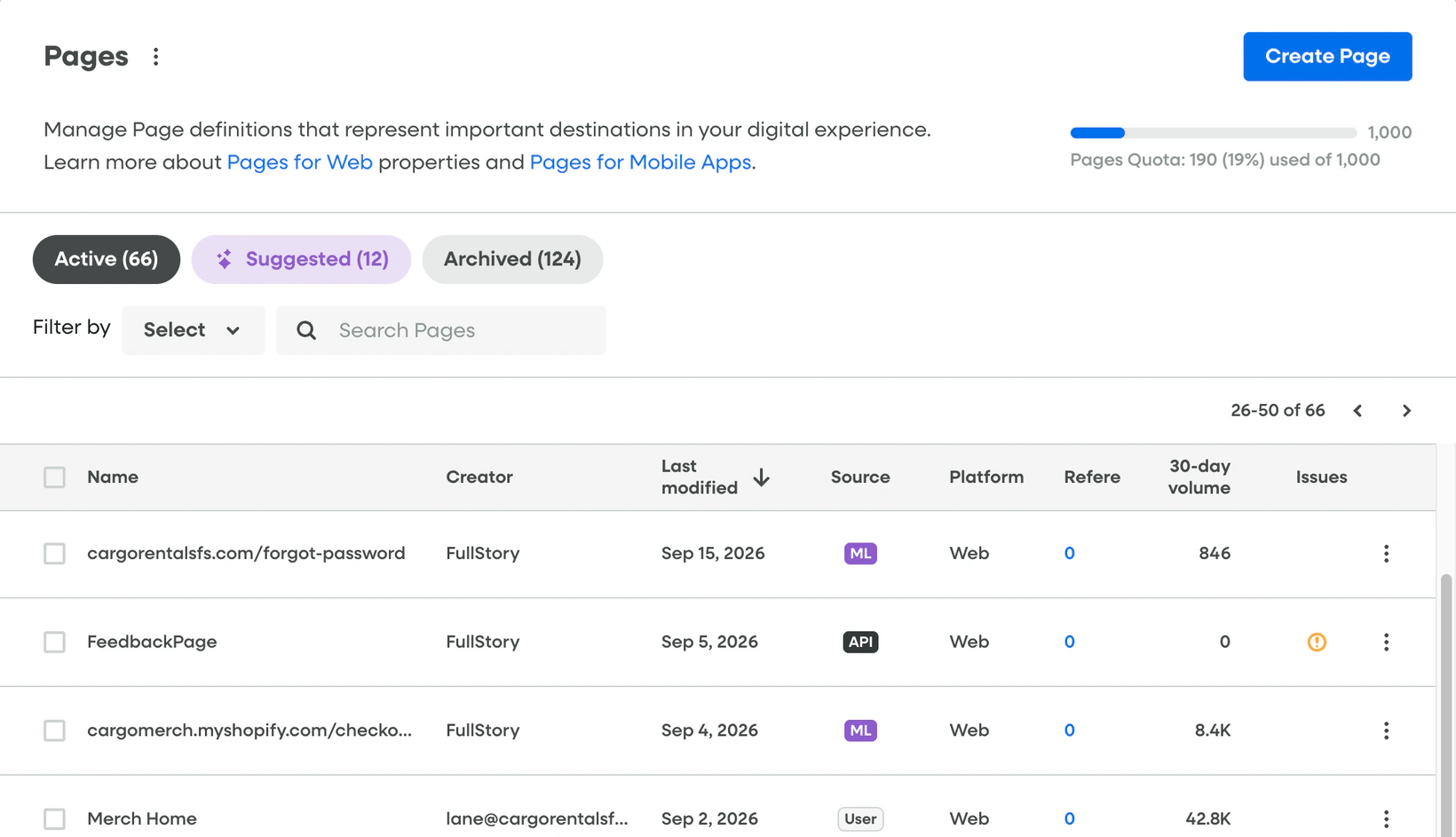
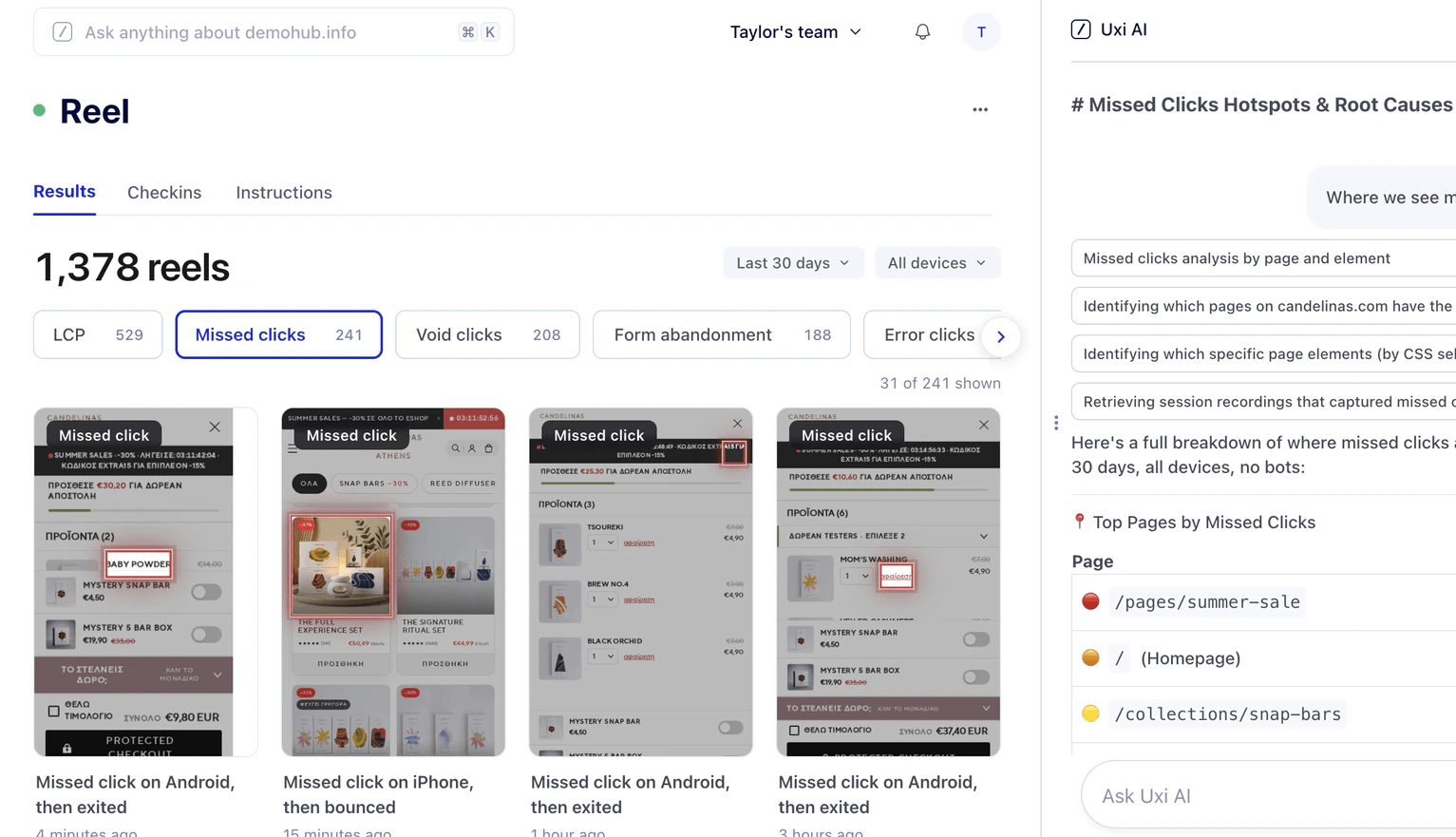

Every session recorded.
Someone still has to watch them.

Done for you.
Friction found, fixed and priced in revenue.
Why teams look for a Fullstory alternative
Replays don't fix anything
Fullstory shows rage clicks, dead clicks and error clicks, and its AI can recommend a next step. Still the work is on you.
Answers take an analyst
There is a steep learning curve. Finding the right sessions means building segments, writing searches and knowing your CSS selectors.
Revenue impact sits on higher plans
Fullstory can put a revenue number on funnel drop-off, but only on Advanced and Enterprise plans and only after you set up a revenue event.
Why teams are looking for something better
What to look for in a Fullstory alternative
Most tools in this category record what happened. Before you switch, check whether the alternative changes what happens next.
Does it fix the problem, or only find it?
Recording and summarizing sessions is standard in 2026. Look for a tool that ships the fix on your live site, without waiting for a dev ticket.
Is every issue priced in revenue?
You should see what each friction point costs in orders as soon as it appears, without a higher tier or a revenue event to configure first.
Are speed and behavior in one dataset?
A slow page and a rage click are often the same problem. Real user monitoring, behavior and conversion data should sit side by side so you can see which one caused the other.
How fast can you get started?
Tagging events and mapping funnels by hand can take weeks. Uxify builds funnels from the paths real visitors take and starts reporting from a single script tag.
Uxify vs Fullstory
A direct comparison of how both platforms handle behavior, performance and revenue.
See the full comparison (11 more rows) Hide the full comparison
Why choose Uxify as your Fullstory alternative?
From friction signal to recovered revenue, in one workflow.
Friction clips instead of a replay queue
Reel clips the friction moments worth watching, like dead clicks, U-turns and loading exits, groups them by repetitive behavior and ranks them by revenue.
Agents fix friction on the live site
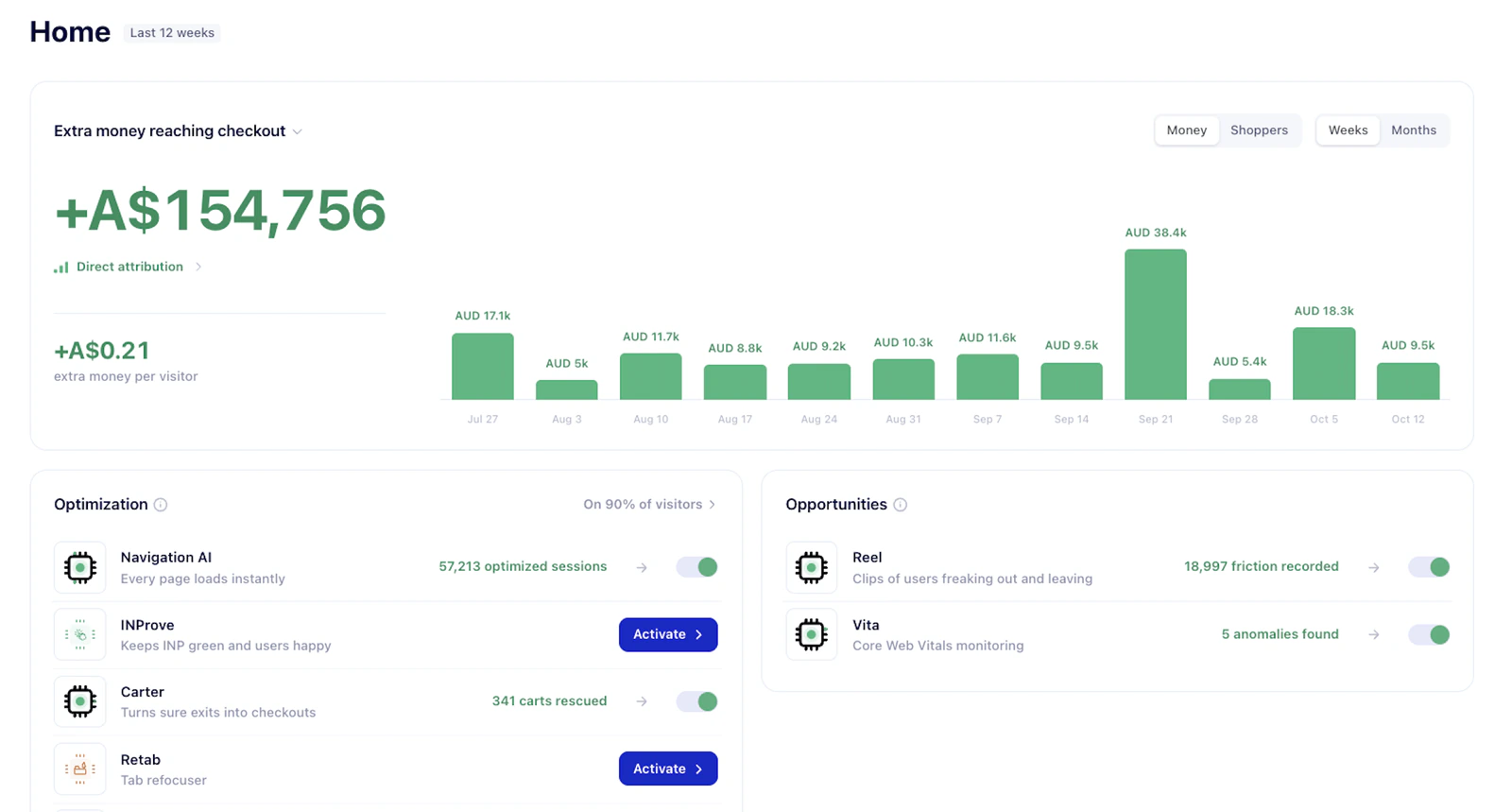
Navigation AI speeds up site browsing, and INProve removes interaction delays. Carter saves carts when shoppers try to leave, and Truetap makes sure mobile taps land. They run 24/7 on top of your theme, so nothing waits for a sprint.
Optimizations tied to conversion
Uxify shows what every agent has done for your bottom line, from faster pages to saved carts. Each gain is tied to the change that earned it, so you always know the value Uxify brings.
Your data, where you need it
Ask Uxi, the assistant built into Uxify, lets you chat with your data. Uxify also connects through MCP to Claude, Cursor and other AI tools, so the insights come to you where you already work, instead of you going to look for them.
Other Fullstory competitors and alternatives to consider
| Tool | Best for | Main difference from Uxify |
|---|---|---|
| Contentsquare | Large enterprises that want analytics, surveys and voice of customer in one suite | Zones and page mappings take weeks to set up; performance and revenue analysis cost extra |
| Hotjar | Small teams that want heatmaps, recordings and surveys | No revenue impact and no fixes |
| Microsoft Clarity | Free session recordings and heatmaps | Reports CWV, but no fixes, 30-day replay retention only |
| LogRocket | Engineering teams debugging front-end errors | Revenue impact is estimated from average transaction value |
| PostHog | Engineering-led teams | Developer-first with a steeper learning curve |
| Mouseflow | Sites that need form analytics and friction scoring | Scores friction in points, not revenue |
Why is Uxify the best Fullstory alternative?
Fullstory helps you understand behavior. Uxify changes the outcome: it finds the friction that costs you orders, fixes it on your live site and shows the revenue it brought back.
Frequently asked questions about Uxify vs Fullstory
What is the best Fullstory alternative?
It depends on what you need. If your team wants the deepest session replay for product research, Fullstory is hard to beat. If you want friction fixed automatically and every fix tied to revenue, Uxify is the best Fullstory alternative.
What is the difference between Uxify and Fullstory?
Fullstory records and analyzes user behavior, then hands findings to your team through tools like Jira, Slack or Teams. Uxify monitors every real session, prices each friction point in revenue and uses AI agents to fix it on the live site.
How much does Fullstory cost?
Fullstory doesn't publish prices for its Business, Advanced or Enterprise plans. You request a quote based on your session volume. Third-party estimates put typical Business contracts at around $10,000 to $25,000 a year, with Advanced and Enterprise priced higher.
Is Fullstory free?
Fullstory has a free plan that includes 30,000 sessions a month, up to 10 users and 12 months of data retention. It leaves out StoryAI, dashboards and webhooks, and recording stops once you reach the monthly session cap.
Does Uxify offer session replay?
Uxify takes a different approach. Reel automatically clips the moments of friction in real sessions, like dead clicks, U-turns and loading exits, and ranks them by revenue impact. You see what matters without watching recordings for days.
Can Uxify replace Fullstory?
For ecommerce and growth teams, yes. Uxify covers real user monitoring, friction detection, funnels and revenue attribution, and adds agents that fix issues. If you rely on full replays for mobile app research or customer support, you may want to keep a replay tool for that work.
Does Fullstory slow down your website?
Fullstory's recording script is about 80 KB compressed and loads asynchronously, and Fullstory says it has no noticeable effect on performance. Any third-party script adds work for the browser, so test it on your own pages.