
Microsoft Clarity alternative for teams that need more than heatmaps
Clarity tracks how users interact with your site. Uxify connects user behavior to your bottom line and runs agents that actually go and fix the friction in real time.
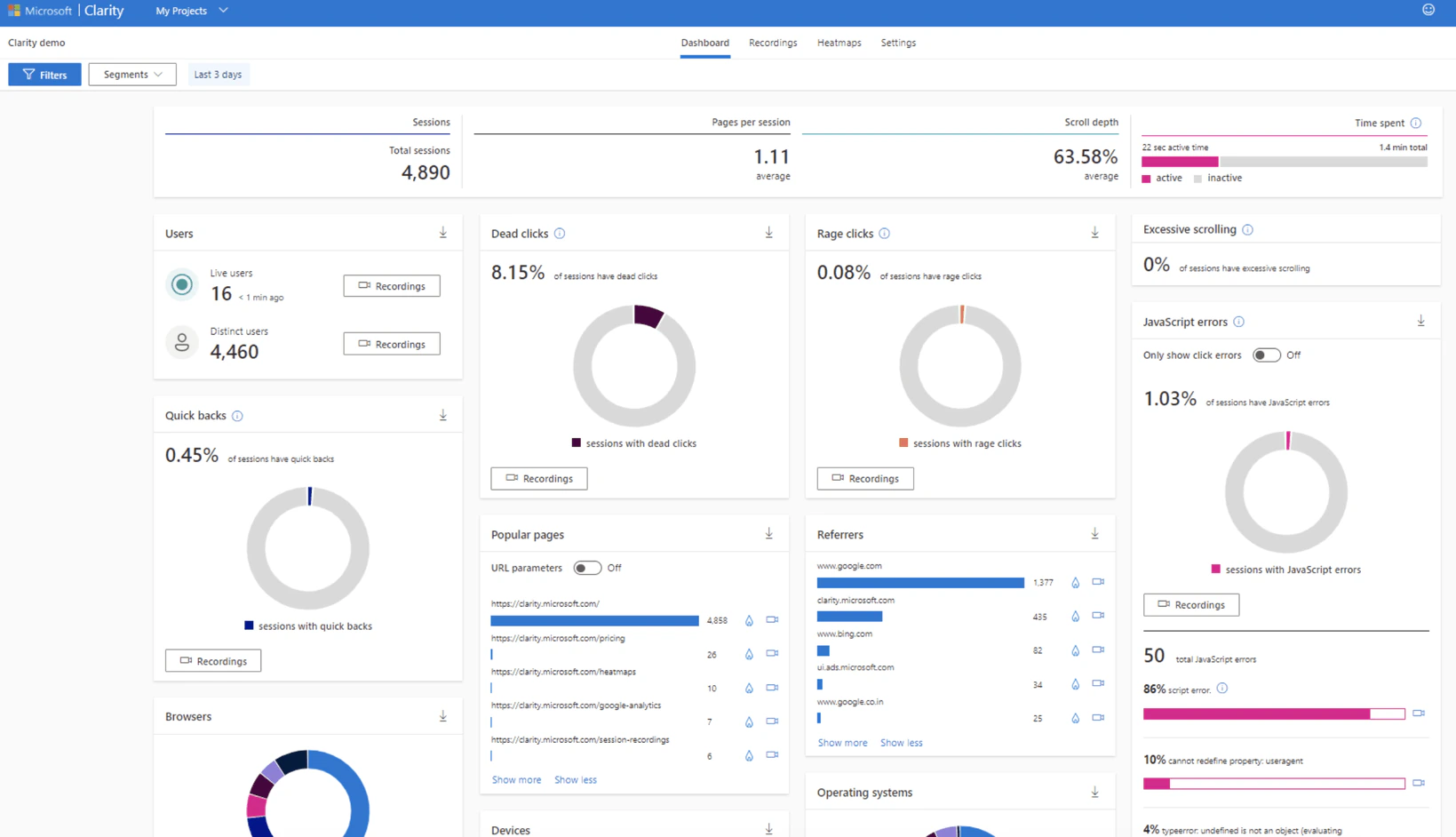
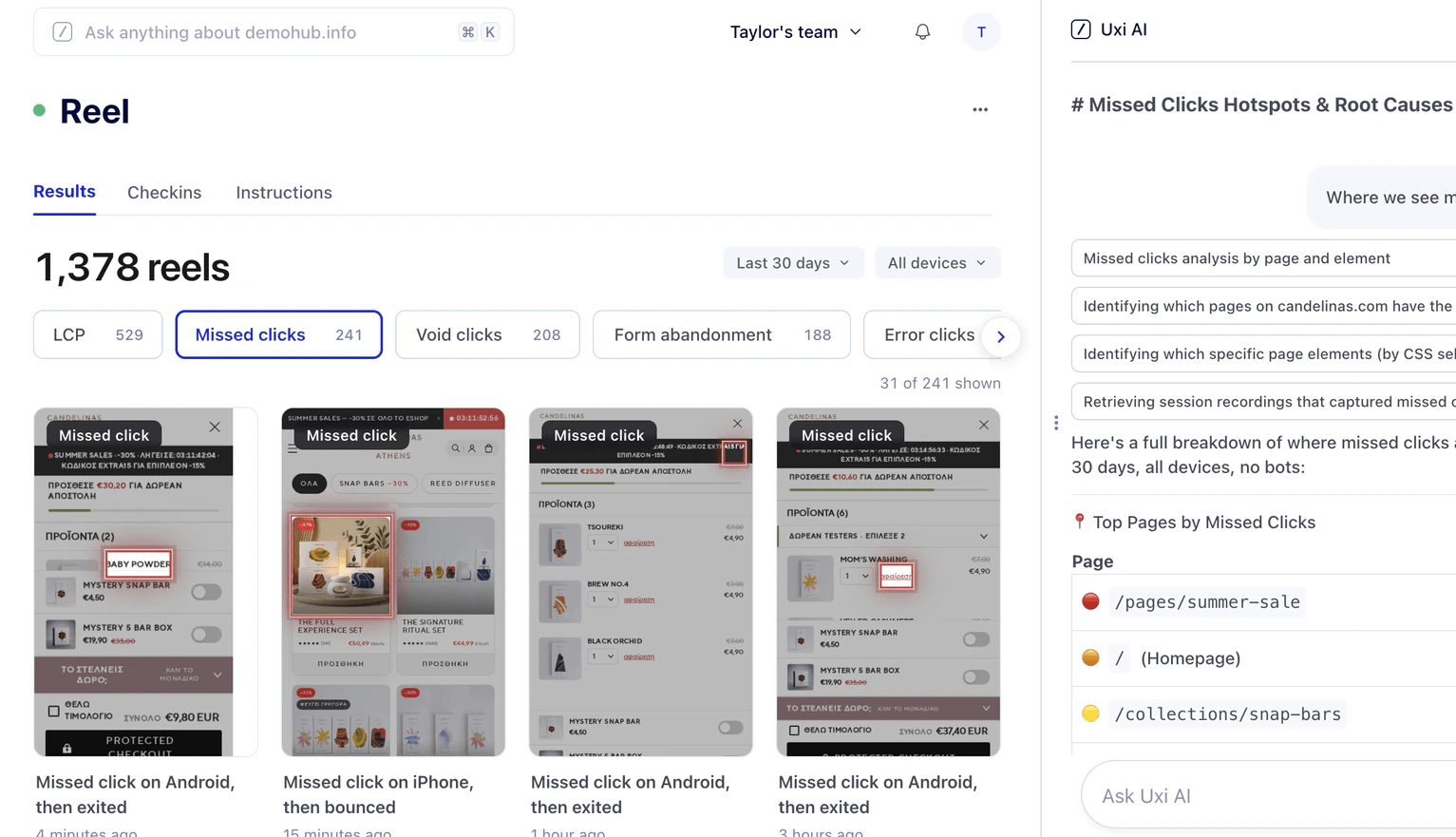
 Microsoft Clarity
 Rage clicks, logged.
Nobody tells you what they cost.

Done for you.
Cause, cost and fix in one answer.
Why teams look for a Microsoft Clarity alternative
Financial impact is unclear
Clarity handles basic conversion reporting. What it will not tell you is what a slow product page or a missed tap is worth in orders, or which fixes you need to prioritize first.
Nothing repairs the page
Clarity reports Core Web Vitals and flags the frustration signals around them. Naming the problem is where it stops. What to change, and who changes it, is still yours to work out.
Manual review takes too long
Understanding what happened means watching hundreds of sessions. Revenue slips away while the recordings queue.
Uxify vs Microsoft Clarity
A direct comparison of how both platforms approach user behavior, performance and revenue.
Where Microsoft Clarity helps, and where it stops
Where Microsoft Clarity works well
For small projects launching their first landing pages, Microsoft Clarity is a great way to see where visitors scroll and how they interact with specific elements. It captures user behavior across devices and gives marketers a free, simple way to observe site interactions.
Where Microsoft Clarity falls short
When a customer triggers multiple rage clicks on a broken checkout module, Microsoft Clarity flags the frustration and logs the JavaScript error. But it cannot tell you how much money that error just cost you, what the true reason for the rage click is, or how to fix it.
Why Uxify is a stronger Microsoft Clarity alternative for growth teams
See which friction points affect conversions
Uxify identifies friction points as they happen so you never have to hunt for issues manually. When visitors drop out of a funnel, the platform shows you exactly where they got stuck.
Connect behavior data with real-user performance
Visual tracking needs technical context to be useful. Uxify maps every friction clip against live website performance metrics. If a slow-loading element causes a user to leave, you see the precise delay alongside the friction clip that captured it.
Prioritize fixes automatically with AI
Uxify uses AI to rank issues by their financial impact. With these AI-powered insights, you immediately know which bugs drain revenue so you can skip hours of sorting through raw video. The most expensive friction points automatically rise to the top of your queue.
Move from passive analytics to active optimization
Uxify deploys Navigation AI and INProve to speed up page loads and keep interactions instant. Other agents are automatically improving conversions by saving carts and recovering forms.
Other Microsoft Clarity alternatives to consider
| Tool | Best for | Why teams choose it |
|---|---|---|
| Hotjar | Growth teams and SMBs | Combines heatmaps and recordings with direct user feedback |
| FullStory | Enterprise product teams | Offers deep technical debugging and robust search |
| Contentsquare | Large ecommerce brands | Maps complex customer journeys at massive scale |
| Mouseflow | Marketing agencies | Highlights form analytics and user drop-offs |
| Lucky Orange | Shopify store owners | Features live chat integrated with real-time tracking |
| PostHog | Open-source developers | Merges product analytics with feature flags |
| LogRocket | Frontend engineering | Focuses heavily on Redux state and technical logs |
Why is Uxify the best Clarity alternative?
You need a Microsoft Clarity alternative when your team is ready to stop just watching errors and start fixing them. Uxify takes the manual work out of the process by actively optimizing your conversion funnels in real time.
Frequently asked questions about Uxify vs Microsoft Clarity
What is the best Microsoft Clarity alternative?
If you want to move beyond watching session replays and actually fix your funnels, Uxify is the best choice. It combines visual tracking with automated performance optimizations.
Why pay for a Microsoft Clarity alternative when Clarity is free?
Free tools often cost your team hours in manual review and lost sales. A paid platform like Uxify pays for itself by recovering lost sales for your business – adding just parts of a percent to your conversion rate will often pay back the cost in at least several months.
What are the main limitations of Microsoft Clarity?
Clarity shows you user behavior but does not tie that behavior to revenue. This leaves you guessing exactly how much a slow page or confusing layout costs your business.
Is Microsoft Clarity the same as Google Analytics?
No. Google Analytics tells you how many people visited your site and where they came from. Microsoft Clarity shows you what those people actually did once they arrived.
Is Microsoft Clarity better than Hotjar?
Hotjar includes surveys and user feedback widgets, whereas Clarity relies on heatmaps and session recordings. However, neither tool provides active AI fixes for the problems they uncover.
Can I use Uxify and Microsoft Clarity together?
You can, though every additional script is another request on the page. Uxify runs as a single lightweight tag and can be served first-party from your own domain, so consolidating usually makes more sense than stacking.