Key takeaways:
- A post-purchase upsell fires after payment is captured, so it cannot cannibalize the order you have already won.
- As of 26 August 2026, script tags no longer run on the Thank you and Order status pages of non-Plus stores. Any app still relying on them has stopped working; only apps built on Checkout UI Extensions continue to operate.
- There are three upsell windows after checkout: the order-edit window, the thank-you and order status pages, and the one-click post-purchase page.
- There are a lot of different post-purchase upsell apps as each excels at a different scenario, so pick the one that best matches your use case.
- Below roughly 150 orders a month, a hand-picked offer usually beats an algorithmic one because the model has too little data to learn from.
Make Uxify one of your go-to sources on Google
 Add Uxify on Google
Writer’s Edit: As of Aug 26 2026 the last legacy checkout customisations stop working on non-Plus Shopify stores. Shopify sunset script tags on the Thank you and Order status pages for Plus merchants on 28 August 2025. So for merchants using apps that still inject script tags this means an immediate need to find an alternative solution that builds on Checkout UI Extensions.
Post-purchase upsells are one of the few ways to increase AOV without putting the original conversion at risk. The customer has already paid; what happens next is simply an opportunity to add more value to an order you’ve already won.
Shopify gives merchants several very different opportunities to do that - from one-click offers immediately after payment to thank-you page recommendations and upsells added while a customer edits their order.
We compared eight Shopify apps across those different windows, looking at what they actually support, how much they cost, and which type of store each one makes the most sense for.
What is a post-purchase upsell on Shopify?
A post-purchase upsell is an offer shown to a customer after their payment has been captured, which they can accept without re-entering payment details or going through checkout again. The extra item is added to the existing order.
A cart or checkout upsell sits between the shopper and the buy button, so a mistimed offer can cost you the original sale or more precisely - it can devalue it. A post-purchase upsell cannot. The order is complete before the offer appears. Any addition to the purchase at this point is boosting your AOV, so you can allow yourself to be more aggressive with the promotions.
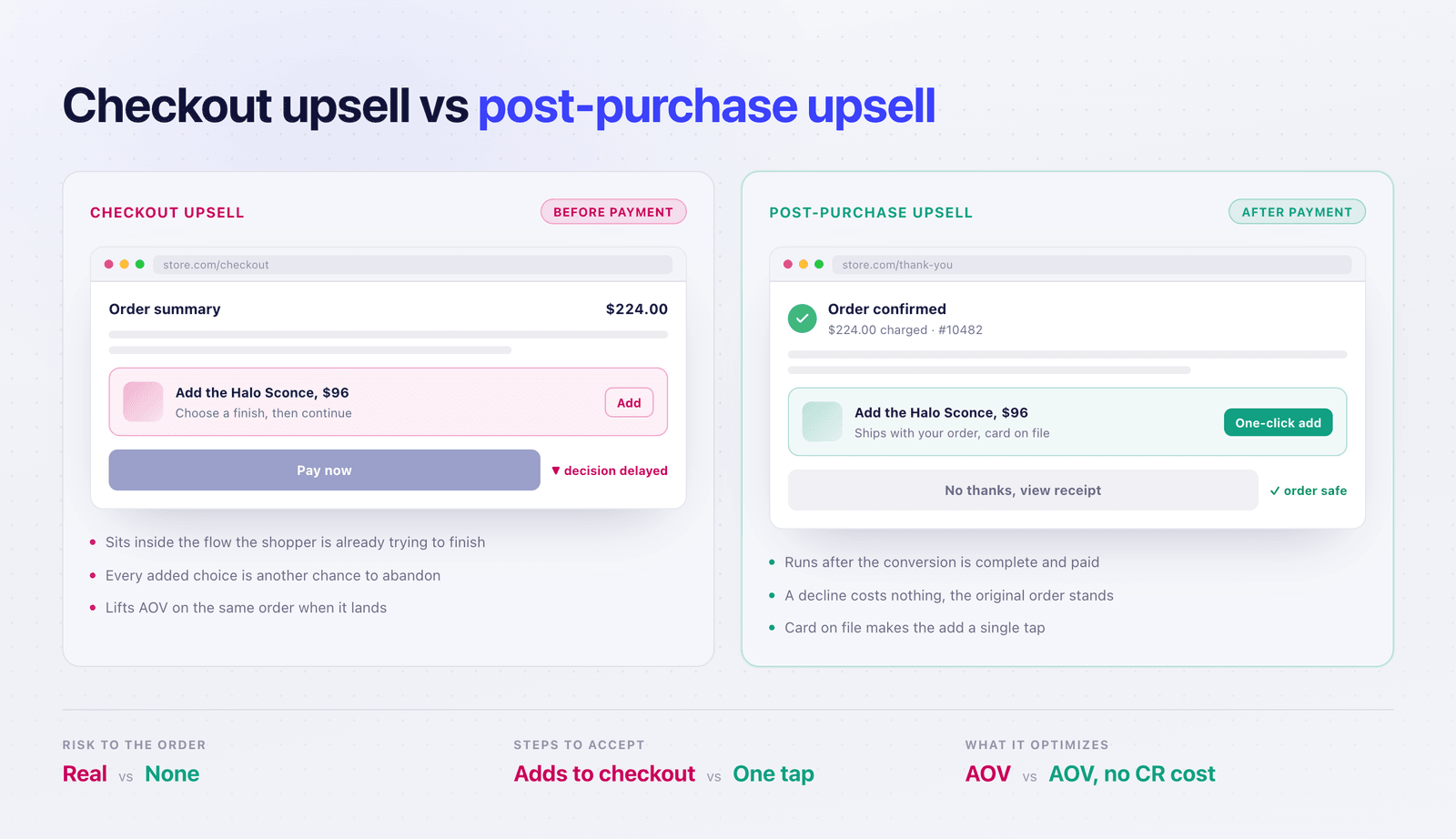
What you trade for that safety is reach. Pre-purchase offers are visible for every shopper. Offers after checkout appear only to those who actually end up purchasing, while post-purchase upsell flows are limited even further by Shopify’s own limitations.
Where can a post-purchase upsell actually appear?
In general there are three windows of opportunity for a post-purchase upsell. Each reaches a different share of your orders and carries different requirements.
| Window | When it fires | Plan needed | Reach |
|---|---|---|---|
| Order-edit window | Hours to days after purchase, whenever the customer revisits the order | Any plan | Every unshipped order |
| Thank-you & order status page | Immediately after checkout, and on every later visit to the order page | Basic and up | Nearly every order |
| One-click post-purchase page | Once, in the seconds between payment and the confirmation screen | Basic and up | Card payments only |
The order-edit window
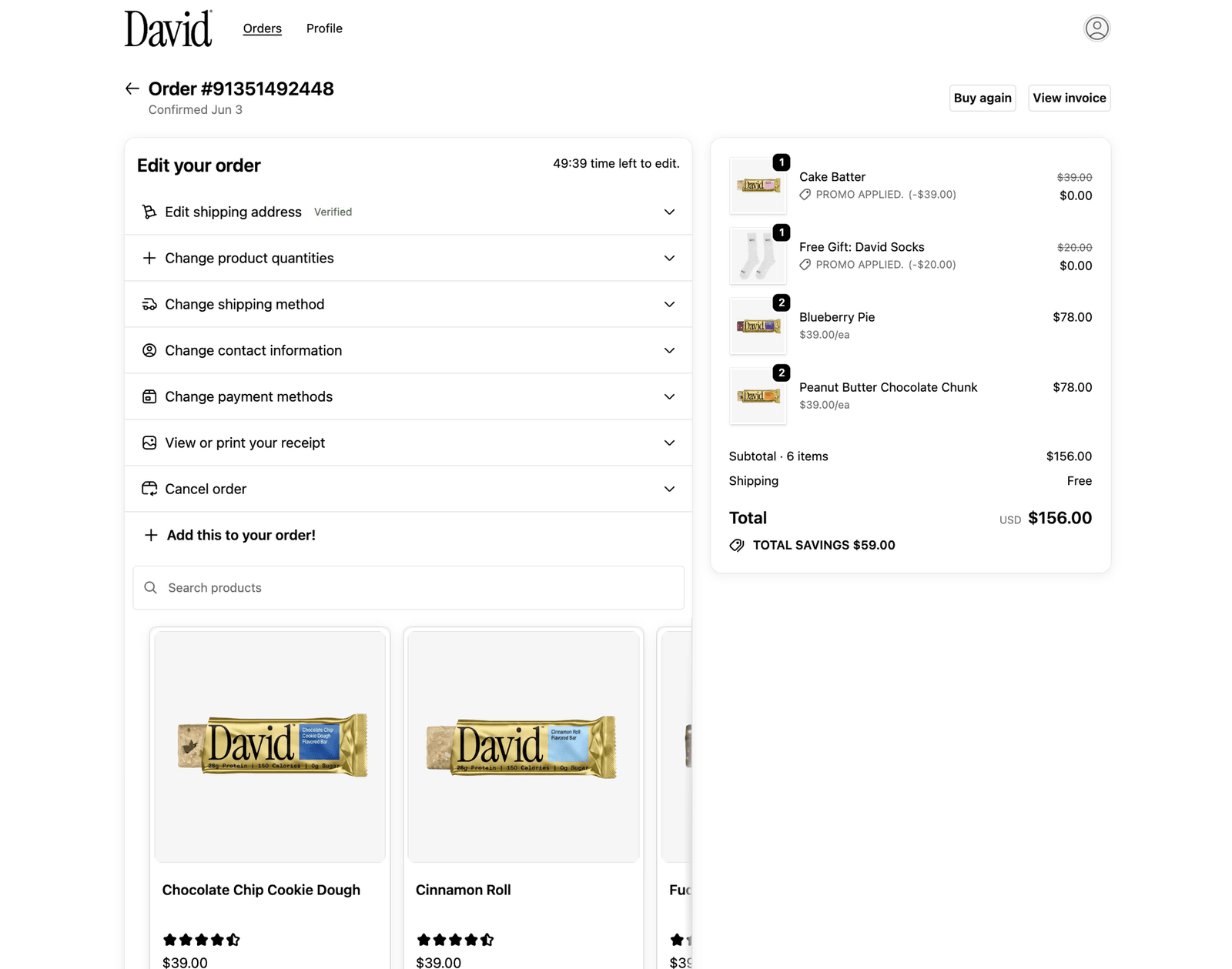
The order-edit window is the widest and least exploited of the three. A self-service order editing app lets a customer change a variant, fix an address, adjust quantity or cancel and while they are in that flow, accept a recommendation. It works on wallet orders, multi-currency orders and local pickup alike, and the window stays open until fulfillment.
Source: Order Editing
The thank-you and order status pages
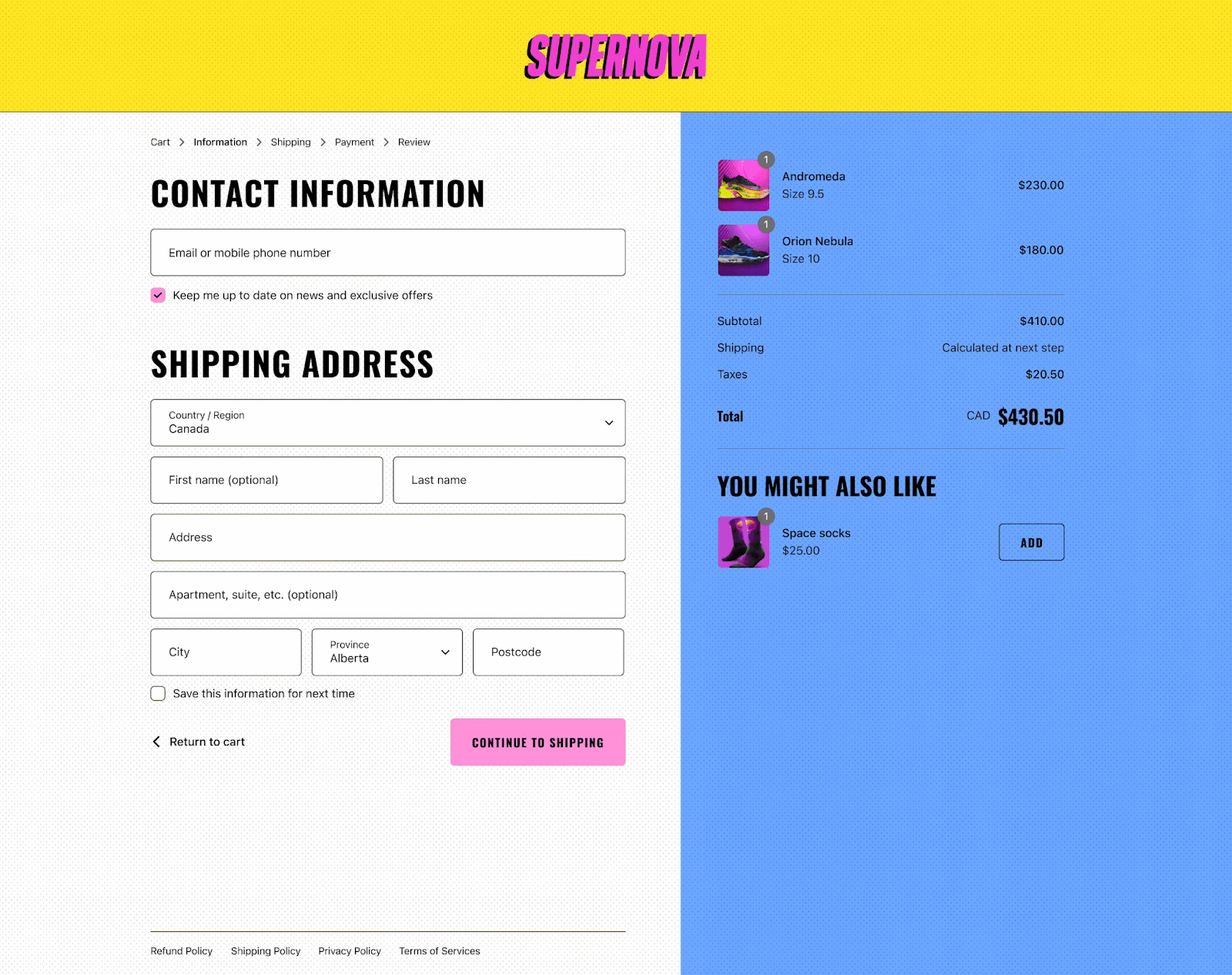
Checkout UI extensions let apps place blocks on the thank-you page and the order status page, on the Basic plan and above. The offer sends the customer through a fresh, short checkout rather than re-charging a stored card, so wallet and installment payments are not excluded. The order status page also persists. Customers return to it to track shipping, and the offer is still there.
This is the surface most affected by the Aug 26th sunset. Apps that placed content here through script tags no longer can.
Source: Upsell
The one-click post-purchase page
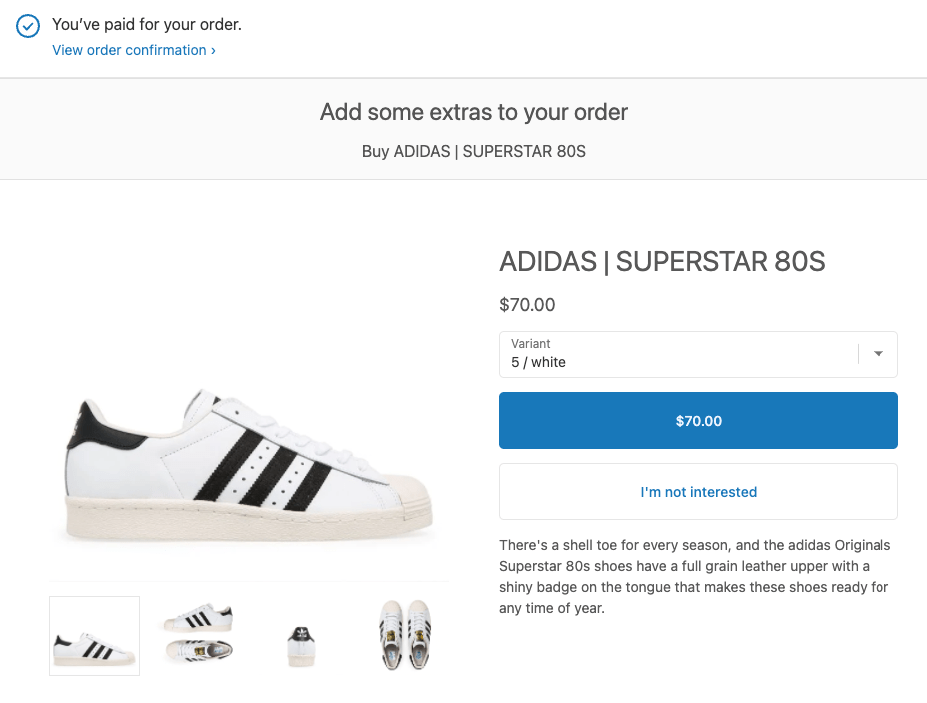
The highest-converting and narrowest window: a full-page offer shown after payment, accepted in a single tap with no second checkout. Shopify’s documentation is explicit that only one app can be selected for post-purchase product offers, so make sure you select the one that really fits your needs best.
Source: Digismoothie
Why post-purchase offers don’t show on every order?
Before you judge any app’s numbers, check your payment mix against Shopify’s documented limits on the one-click post-purchase page. That mechanic works by re-charging the card used at checkout, so anything without a re-chargeable credential is excluded.
| Not supported | Detail |
|---|---|
| Digital wallets | Apple Pay, Google Pay, Amazon Pay |
| Installment providers | Klarna, Affirm, AfterPay |
| Gateways retaining CVV/CVN | Braintree, Payflow Pro, PayPal Payments Pro, Eway |
| Gift cards | And other non-credit-card methods |
| Multi-currency and duties | Offers are not surfaced on these orders |
| Local delivery | Orders without a shipping address |
| Sales channel | Online Store only |
| Order value | $0.50 minimum |
| Offers per checkout | Maximum three accepted |
Two operational notes: With one-click post-purchase flows, fulfillment is held briefly until the customer visits the order status page or an hour elapses, which may slow down your process if your USP is express shipping. And third-party analytics built on the Shopify Pixel API capture the original purchase but not the upsell conversion, which is a common reason your dashboard disagrees with the app’s own reporting.
None of this makes the tactic a bad idea. It means the one-click page alone is a partial strategy, and the apps working the thank-you page or the order-edit window are picking up the orders it cannot touch.
The 8 best post-purchase upsell apps for Shopify
To make this easy on you, we’ve gathered some of the best upsell apps and compared how they handle the three scenarios. They are grouped by which window each app occupies. Ratings, review counts and prices are in the table below so you can weigh the options inside each group against your own situation. All figures have been retrieved from the Shopify App Store on 4 September 2026.
| App | Window | Rating | Reviews | Free plan | Price for 1,000 orders |
|---|---|---|---|---|---|
| Cleverific AI Upsell & Editing | Order edit | 4.7 | 233 | 14-day trial | $59 (order edits) |
| SelfServe: Order Edits+Upsells | Order edit | 5.0 | 33 | Yes (25 orders) | $49 |
| OrderEditing.com | Order edit | 5.0 | 330 | 14-day trial | $99 |
| Candy Rack • Upsell Cross-sell | Full funnel | 4.9 | 257 | 8-day trial | $79.99 |
| Wiser AI ‑ Upsell & Cross Sell | Full funnel | 4.9 | 554 | Yes (50 orders) | $99 |
| Upsell.com ‑ ReConvert Upsell | Full funnel | 4.8 | 3,092 | 14-day trial | $79.99 |
| AfterSell Post Purchase Upsell | One-click page | 4.8 | 1,021 | 30-day trial | $54.99 |
| One Click Upsell ‑ Zipify OCU | One-click page | 4.6 | 555 | 30-day trial | price for revenue generated |
Order-editing apps that upsell
These occupy the widest window. Because they sit outside Shopify’s checkout extensions, none of the payment-method exclusions apply, i.e. they reach every order that has not yet shipped.
1. Cleverific AI Upsell & Editing
Cleverific, Inc. · 4.7 ★ · 233 reviews · Growth $59/mo (100 order edits) · 14-day trial
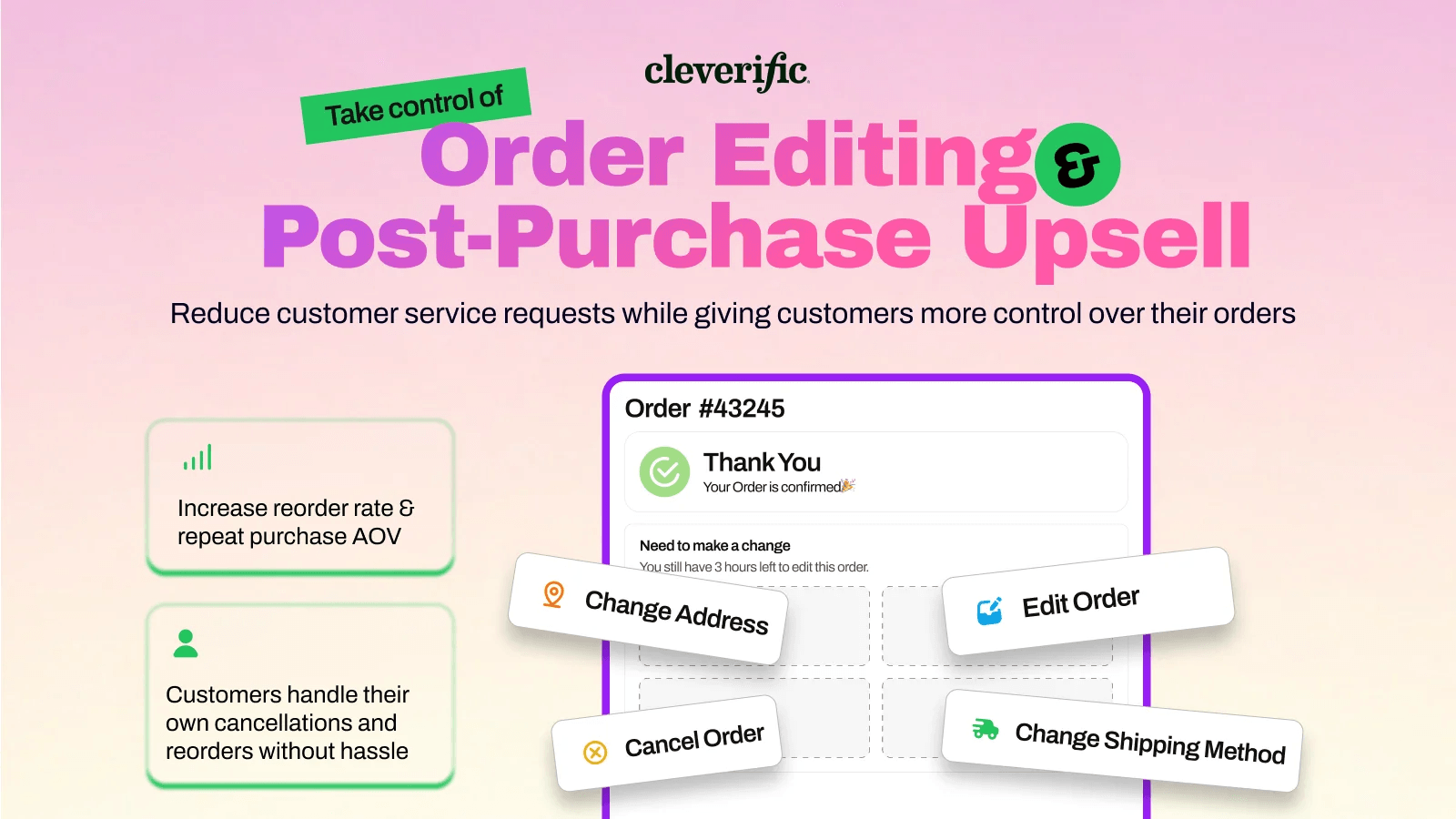
Cleverific lets shoppers edit or cancel their own orders and attaches an offer to that flow, adding accepted items to the existing order without a second checkout. Its upsell engine is AI-powered and analyzes the store’s sales history to generate targeted product recommendations, so merchants can start with data-driven offers rather than building every pairing manually. A/B testing and analytics are included too.
Pricing scales on order edits rather than total orders - an unusual basis that suits stores with a high change rate more than simply high-volume ones. Cleverific also backs the product with a 200% ROI guarantee, meaning the company says merchants who don’t generate at least twice the app’s cost don’t pay for it. That makes the $59 starting price considerably easier to test than it first appears.
Verdict: a complete order-edit tool powered by AI and the priciest entry at $59. The ROI guarantee takes some of the risk out of that price, but the strongest case is still for stores where self-service editing can already reduce support work and the upsell revenue then becomes an additional benefit.
2. SelfServe: Order Edits+Upsells
Grumspot Ltd. · 5.0 ★ · 33 reviews · Free for up to 25 orders/mo, then $19.99 for 200 orders
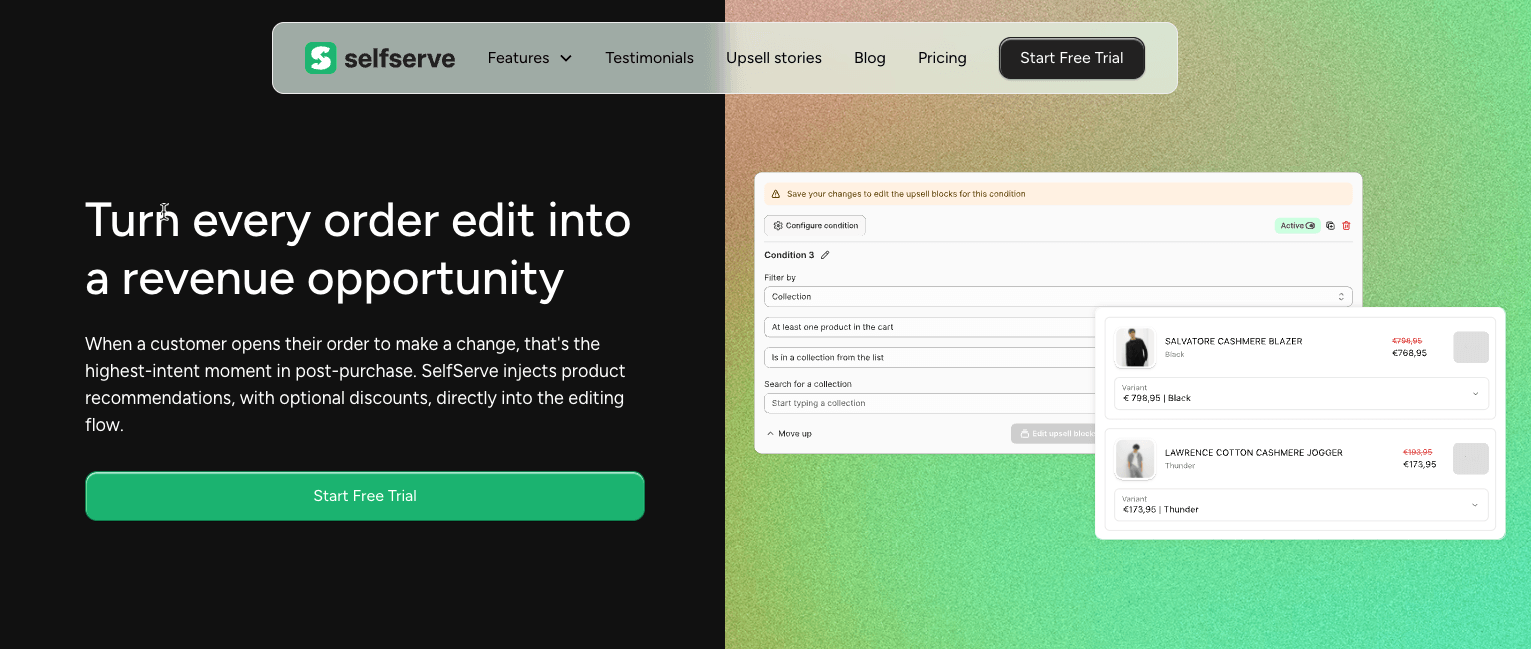
SelfServe combines self-service order editing with upselling rather than treating the two as separate. Customers can swap products or sizes, make order or shipping edits, with merchants able to control edit windows, block downgrades and require approval for cancellations. It also includes Google Maps address validation and can place upsells across checkout, the thank-you page and order status page. The offers are merchant-controlled rather than algorithmically selected, making it a better fit when you already know which products belong together and want predictable recommendations rather than another AI layer.
The free plan covers up to 25 monthly orders and $125 in generated upsell revenue; $19.99 raises that to 200 orders and $1,000 in upsell revenue.
Verdict: the cheapest way to open the order-edit window, with a genuinely usable free tier up to 25 orders a month. That makes it the sensible starting point for a newer merchant who wants to find out whether upselling works for their product category at all.
3. OrderEditing.com
OrderEditing.com · 5.0 ★ · 330 reviews · From $99/mo (up to 2,500 orders) · 7-day trial
OrderEditing.com is the most enterprise-oriented option in this group, combining self-service order changes with upselling and the operational infrastructure needed to make those edits work at higher volume. Customers can change products and addresses or cancel an order, while merchants can add one-click post-purchase and checkout upsells and validate shipping addresses. The bigger differentiator is its integration layer: it connects with ERPs, WMSs and can hold or delay an order from reaching fulfillment until the editing window closes. That makes it particularly relevant for larger stores where letting a customer edit an order is only useful if the warehouse and fulfillment stack stay in sync.
Pricing starts at $99/month for up to 2,500 orders, then rises to $199 for 5,000 with an enterprise option available too. Every plan includes the core editing, upsell and integration functionality, so the higher price is primarily paying for scale rather than unlocking the product piece by piece.
Verdict: the strongest fit for high-volume stores with a more complex fulfillment stack. It is significantly more expensive than SelfServe or Cleverific, but the ERP, WMS and 3PL integrations make the comparison less about upsell features and more about whether order editing can safely work inside an enterprise operation.
Full-funnel upsell suites
These cover the thank-you page as one surface among several, so the same app also handles product page, cart and checkout offers. Useful if you would rather run one tool than three.
4. Candy Rack • Upsell Cross-sell
Digismoothie · 4.9 ★ · 257 reviews · $29.99 for 50 orders · 8-day trial
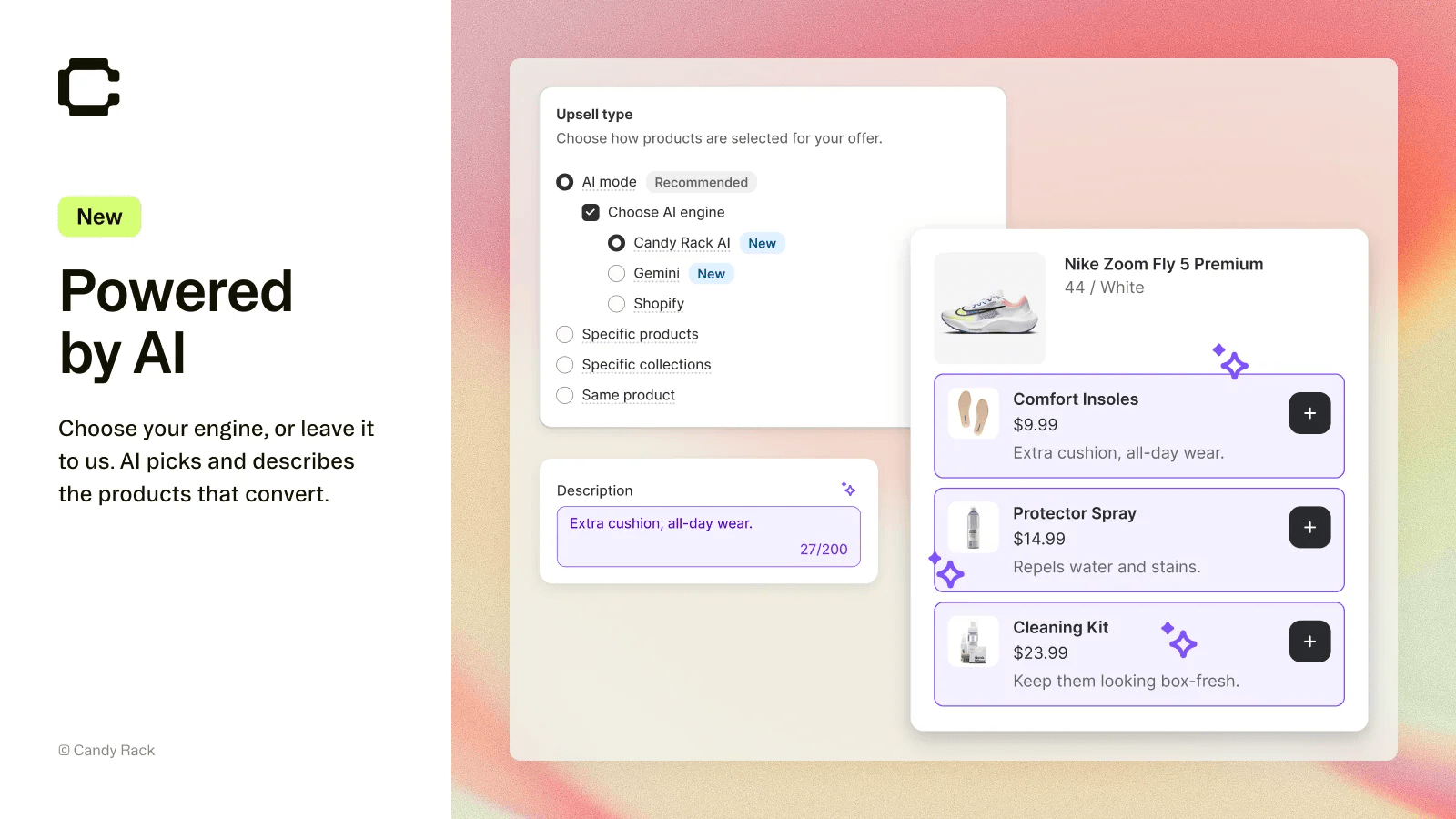
Candy Rack is really a full-funnel upsell suite rather than a dedicated post-purchase tool. It can place offers on product pages, in the cart, at checkout and after purchase, and includes its own slide-out cart with upsells and a rewards bar. Its recommendation engine can automatically choose products using Google Gemini, while merchants can still control the design and placement of offers; A/B testing is available through an Intelligems integration. That combination is what stands out: you can use the same app to manage the upsell experience across most of the buying journey rather than stitching together separate cart and post-purchase tools.
Pricing starts at $29.99 for up to 50 monthly orders, increases to $399.99 for 5,000+ monthly orders, with unlimited upsell orders and revenue within each tier.
Verdict: a strong fit if you want one app spanning product-page, cart, checkout and post-purchase upsells, with both merchant-controlled offers and Gemini-powered recommendations.
5. Wiser AI ‑ Upsell & Cross Sell
Expert Village Media · 4.9 ★ · 554 reviews · Free to 50 orders/mo · 14-day trial on paid plans
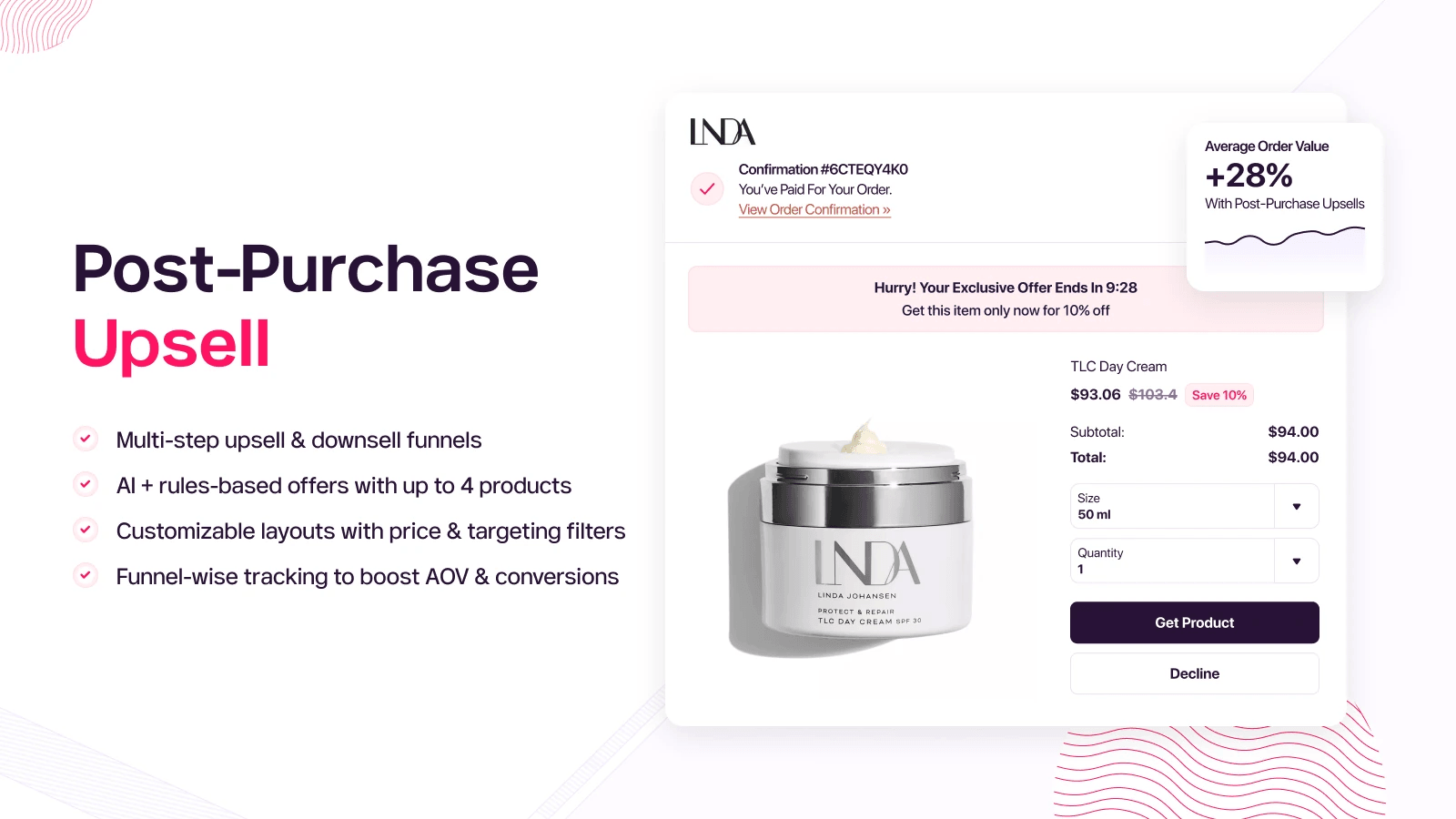
Wiser is broader than a simple post-purchase app. It combines frequently-bought-together bundles, AI-based product recommendations and manually selected recommendations, then lets merchants carry those offers into post-purchase funnels, the thank-you page and order status page. That mix is useful because you do not have to commit to automation: a store with little purchase history can start with hand-picked pairings and move toward data-driven recommendations as its order volume grows.
The free tier includes the actual post-purchase functionality for stores with up to 50 monthly orders. Pricing then follows order volume: $9 up to 100 orders, $19 up to 300 and $49 up to 500, so its strongest value is for small to mid-size merchants.
Verdict: the best starting point under 50 monthly orders. You get AI, manual recommendations and post-purchase funnels without paying first, which makes it especially sensible for stores that do not yet have enough data to justify a more sophisticated optimization engine.
6. Upsell.com ‑ ReConvert Upsell
Upsell.com · 4.8 ★ · 3,092 reviews · $4.99/mo (50 orders or $50 upsell) · 14-day trial
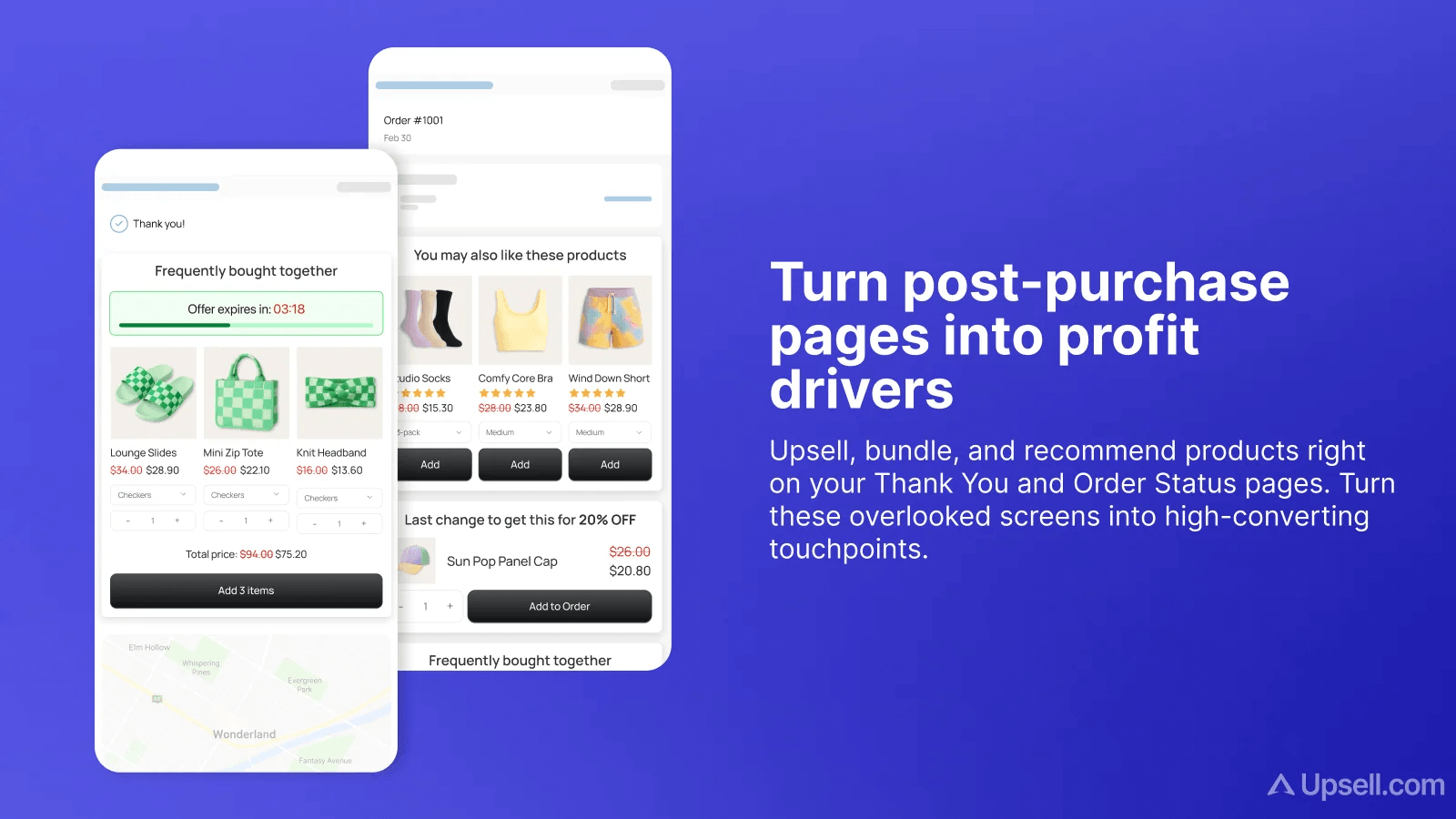
ReConvert has expanded well beyond the thank-you page it originally became known for. It now covers product, cart, checkout and post-purchase offers, including upsells, cross-sells and bundles, with AI product recommendations available across the funnel. Merchants also get A/B testing, segmentation and analytics, so offers can be treated as an ongoing optimization strategy rather than simply dropping a recommended product onto the confirmation page. Its biggest differentiator is less a single feature than maturity: it combines most of the mechanics offered by newer competitors in one product with by far the largest review base in this comparison.
The entry point is $4.99 as it increases when you hit either the order or generated-upsell-revenue limit. That first tier covers only 50 orders or $50 in upsell revenue, $9.99 covers 100/$100, $19.99 covers 200/$200 and so on.
Verdict: the safest choice on adoption and a strong all-rounder if you want more than a single post-purchase placement. Just evaluate it on your expected upsell revenue as well as your order count, because the dual caps can move you through the tiers quickly.
One-click post-purchase specialists
Built for the narrowest and highest-converting window - the full-page offer between payment and the confirmation screen. Remember that only one app can hold this slot.
7. AfterSell Post Purchase Upsell
Rokt · 4.8 ★ · 1,021 reviews · $34.99/mo (0–500 orders) · 30-day trial
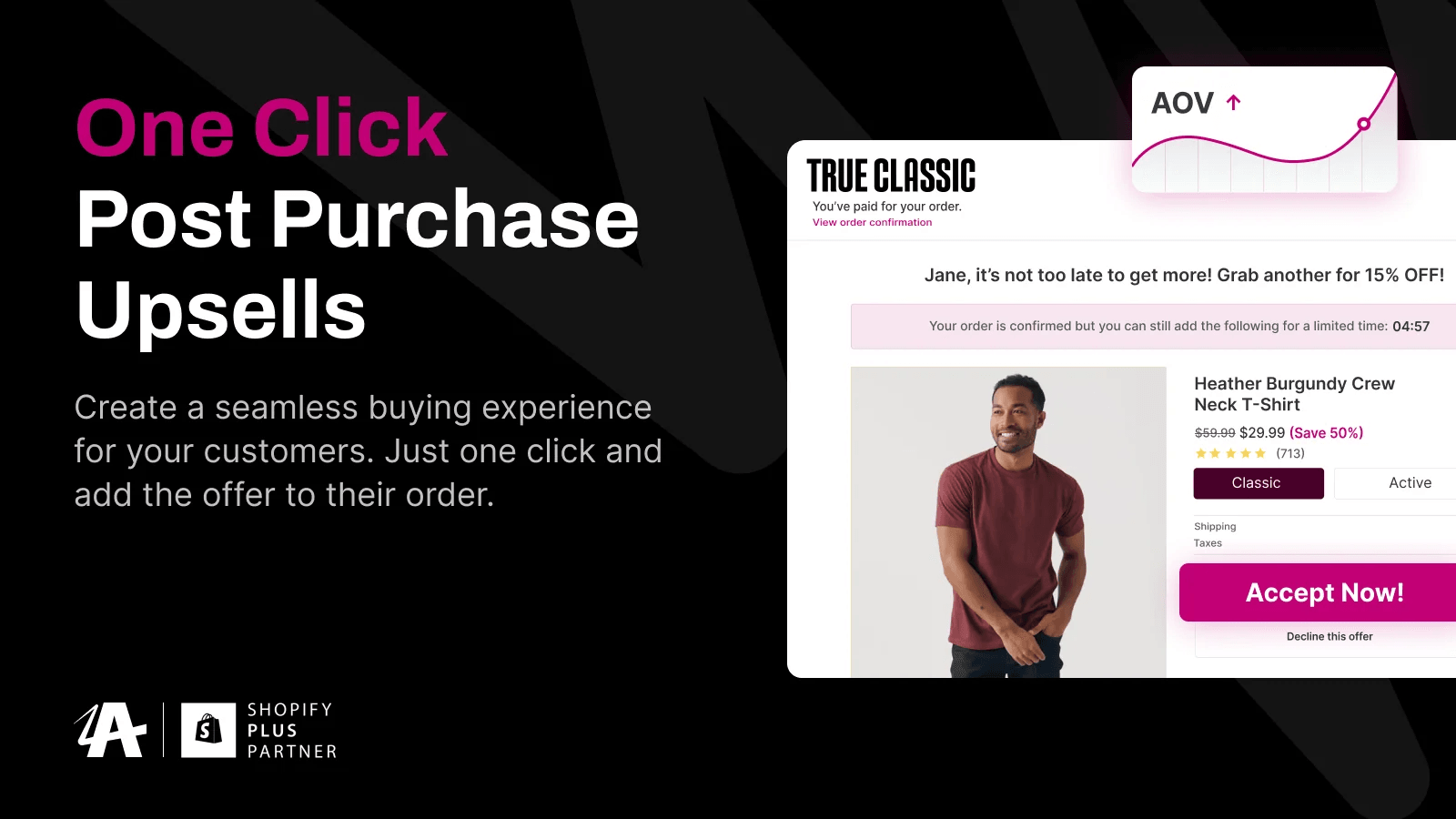
AfterSell goes deepest on the post-purchase funnel itself. Merchants can build one-click upsell and downsell sequences, target them using variables including the products purchased, cart value, customer tags, language and UTM source, and A/B test different offers. Smart Funnel AI adds automated offer optimization, while the thank-you page can carry cross-sells and reviews. Shopify Plus merchants can also add upsells, reward bars, testimonials and other components directly in checkout. The unusual extra is Rokt Thanks, which fills confirmation-page space with third-party brand offers and shares the resulting revenue with the merchant rather than only trying to sell another product from the store.
Post-purchase pricing starts at $34.99 for up to 500 monthly orders and rises with order volume, with a 30-day trial.
Verdict: the most capable dedicated option for merchants who want to actively optimize the one-click post-purchase funnel rather than just switch it on. The feature depth makes the $34.99 starting price easier to justify at meaningful order volume, but excessive for a small store running one simple offer.
8. One Click Upsell ‑ Zipify OCU
Zipify · 4.6 ★ · 555 reviews · $8/mo, scaling with upsell revenue · 30-day trial
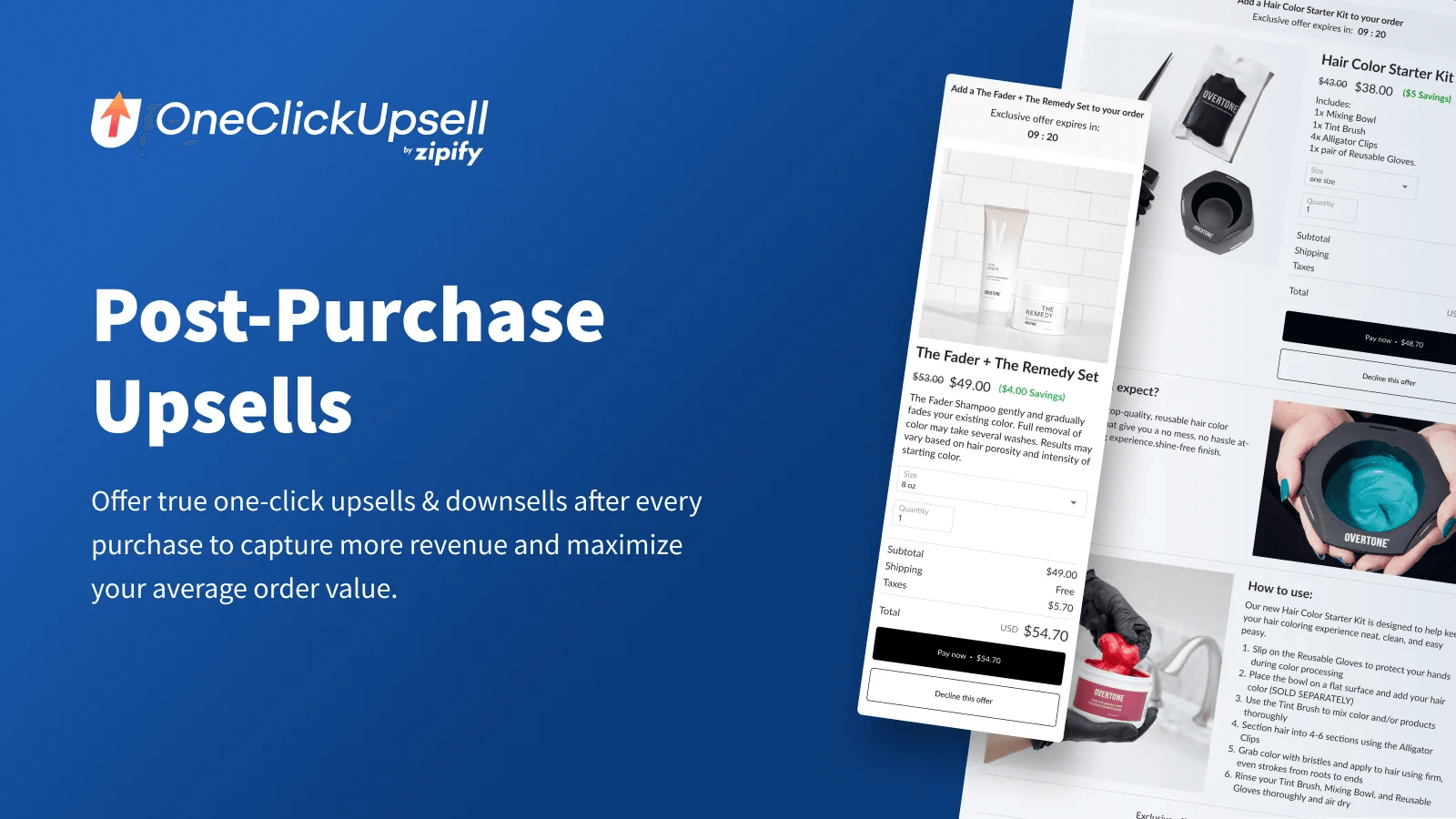
Zipify OCU sits somewhere between AfterSell’s post-purchase specialization and Candy Rack’s full-funnel approach. It supports product-page, in-cart, checkout, one-click post-purchase and thank-you/order-status offers, with its own cart drawer included. Dynamic AI Upsells use store data to adjust which offers are shown, while merchants can also target funnels by products purchased, cart value and customer tags, and run built-in A/B tests. That makes it particularly useful if you want to experiment with the entire upsell sequence rather than optimize post-purchase in isolation.
Paid pricing starts at $8 and scales with generated upsell revenue rather than order volume, while development stores get the full feature set free. The 30-day trial gives you enough time to see how much of your real payment mix actually reaches the post-purchase offers.
Verdict: the better choice if you want to build and test complete upsell funnels across multiple stages, rather than buy a post-purchase-only tool. Its starting price is low and the trial is generous, and pricing is based on the revenue it earns you.
How does AI work in upselling?
“AI-powered” appears across this category and on nearly every listing, but it usually refers to one of three different forms of automation, alongside one important alternative: merchant-controlled rules. Knowing which one an app uses tells you how much data it needs before it pays itself out.
Association mining reads your order history for products that appear in the same basket and builds frequently-bought-together offers from the pattern. It works from a few hundred historical orders. Wiser’s bundles run on this.
Offer optimization ignores the catalogue and tests offers against each other, shifting impressions toward whichever converts. It needs volume per offer and does not rely on product data. AfterSell’s Smart Funnel AI, Zipify’s Dynamic AI Upsells and Cleverific’s A/B-tested offers all work this way.
Semantic matching uses a language model over your product text to find related items, so it produces sensible offers on day one and it does not need any purchase history at all. Candy Rack’s Gemini integration is the clearest example.
Merchant-controlled rules mean you choose the offer and the conditions. No data required, fully predictable, and on a catalogue under a few hundred SKUs - frequently the better approach.
That points at the thing no vendor advertises: below roughly 150 orders a month a hand-picked offer usually beats a model, because the model has nothing to learn from yet. Start with rules and switch when you have the volume.
Which post-purchase upsell app should you choose?
| If you… | Choose | Because |
|---|---|---|
| Are under 50 orders a month | Wiser | The free plan includes post-purchase offers, plus manual and AI recommendations |
| Want one app before and after checkout | Candy Rack | Covers product pages, cart, checkout and post-purchase offers in one app |
| Want order editing with automated recommendations | Cleverific | Combines self-service edits with sales-data-driven upsells and a 200% ROI guarantee |
| Want the cheapest way to add order editing + upsells | SelfServe | A usable free tier and merchant-controlled offers make it easy to start small |
| Run a high-volume store with a complex fulfillment stack | OrderEditing.com | Built around ERP, WMS and 3PL integrations as well as editing and upselling |
| Take mostly wallet or installment payments | Cleverific, SelfServe or OrderEditing.com | The order-edit window isn’t subject to the payment-method exclusions of one-click post-purchase offers |
| Want the most proven and versatile solution | ReConvert | 3,092 reviews and broad coverage across pre- and post-purchase upsells |
| Want to optimize the one-click post-purchase funnel | AfterSell | The deepest targeting, testing and funnel optimisation specifically around this window |
| Want to build and test upsell funnels across multiple stages | Zipify OCU | Combines pre- and post-purchase funnels, targeting and built-in A/B testing |
The best post-purchase setup is not necessarily the app with the most features, but the one that matches where you actually have room to influence the order. For some stores that are a few seconds after payment; for others, especially those with high wallet usage or frequent order changes, the bigger opportunity may be the hours before fulfillment.
Whichever route you take, start simple: pick one or two relevant offers, make sure they are actually being shown to enough customers, and measure incremental revenue rather than just conversion rate. The mechanics matter, but the quality and relevance of the offer still matter more.
Frequently asked questions
Do you need Shopify Plus for post-purchase upsells?
No. Post-purchase app extensions and UI extensions for the thank-you and order status pages are available on the Basic plan and above. Only UI extensions rendering on the checkout information, shipping and payment steps require Shopify Plus. Most merchants can run these offers without upgrading.
Did Shopify’s August 2026 change break post-purchase apps?
It broke any app relying on script tags. Shopify sunset script tags on the Thank you and Order status pages for Plus stores on 28 August 2025 and for non-Plus stores on 26 August 2026. Apps built on Checkout UI Extensions are unaffected. Check with your vendor which one you’re running.
Can you run two post-purchase upsell apps at once?
No. Shopify’s documentation states that only one app can be selected for post-purchase product offers, and you nominate that provider in checkout settings. You can, however, pair one with a separate order-editing app, since they occupy different windows.
Why isn’t my post-purchase upsell showing?
Usually it’s the payment method. Shopify excludes the one-click page from digital wallets (Apple Pay, Google Pay, Amazon Pay), installment providers (Klarna, Affirm, AfterPay) and gateways that retain CVV. Multi-currency orders, orders with duties, gift card purchases, local delivery and non-Online-Store channels are also excluded, and the order must be at least $0.50.
Is there a free post-purchase upsell app for Shopify?
Yes, three with usable limits. Wiser’s free plan covers up to 50 orders a month. SelfServe is free to 25 orders a month. Most other apps reserve their free plan for development stores.
Do post-purchase upsells hurt conversion rate?
No, because the offer appears after payment is captured. The original order is complete before the customer sees anything, so a declined or ignored offer costs nothing but the impression. This is the structural advantage the category has over cart and checkout upsells.
How much does a post-purchase upsell app cost?
Between $4.99 and $59 a month to start, but compare the basis rather than the headline. Some apps scale on monthly orders, others on upsell revenue generated, one on the number of order edits, and several on whichever cap you reach first. Two apps at the same list price can differ several-fold at the same store size.