Key takeaways:
- Shopify is making storefronts increasingly accessible to AI shopping agents, and products can be bought inside Google AI Mode, Gemini and several AI assistants.
- Shopify sessions exclude bots, so reports may shift. Uxify uses its own bot filter, so small differences between the two are normal.
- Checkout is getting simpler forms, more payment options and carts that sync across devices.
- Apps must move off script tags before March 1, 2027. Uxify already uses Shopify's app embed method.
Make Uxify one of your go-to sources on Google
 Add Uxify on Google
Shopify released its Fall ‘26 Edition, called “Exponential,” on October 28, 2026. It has more than 150 updates, and most of them point in one direction: AI that shops, builds and optimizes stores on the merchant’s behalf. From AI agents that help shoppers discover and buy products to smarter onsite and checkout experiences, improved analytics, and new tools for building and optimizing stores, there’s plenty for merchants to unpack. We’ve rounded up the most important updates, what they mean for your store, and where solutions like Uxify fit into Shopify’s evolving ecosystem.
How shoppers find and buy
AI agents can shop every Shopify store
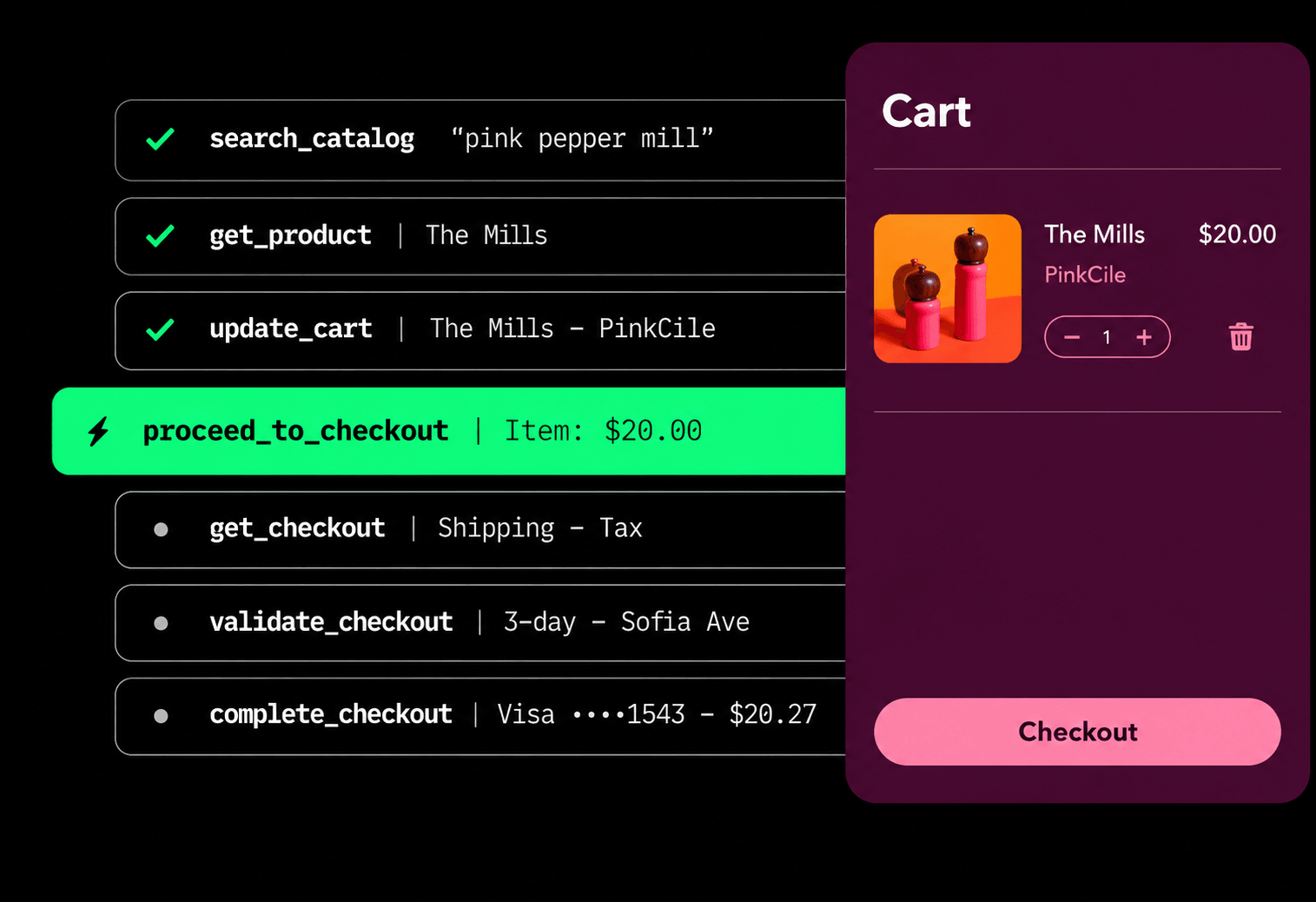
Agentic commerce is one of the biggest themes of the release. Shopify launched shop.md, a skill that turns an AI assistant into a personal shopper that can search over a billion products, make recommendations based on a shopper’s preferences and recent purchases, and check out with Shop Pay. Eligible merchants can also sell directly in Google Search’s AI Mode and the Gemini app, with checkout handled by Shopify. This is rolling out market by market, starting with stores that sell to US shoppers, so it isn’t available everywhere yet, including in the EU.
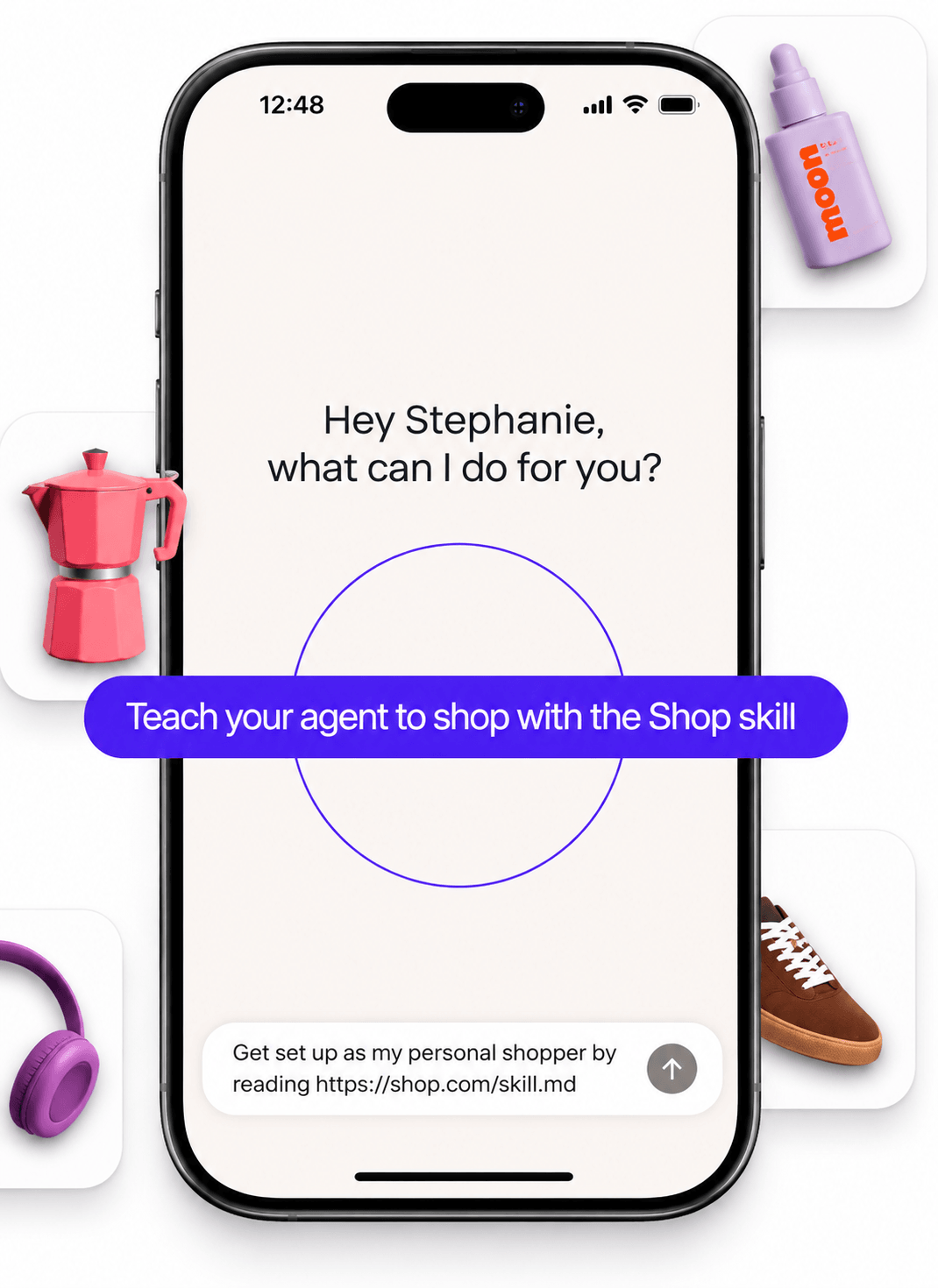
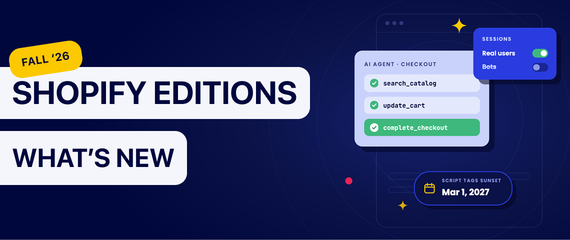
The technical change behind this is WebMCP, a proposed web standard developed by Google and Microsoft that lets a website tell AI agents in the browser exactly which actions it supports, instead of leaving them to figure it out from the page. Shopify has added WebMCP tools to every Liquid and Hydrogen storefront and checkout, so browser agents can search products, update the cart and complete checkout once the buyer approves.
Merchants keep some control over what agents say about them. A new screen lets them review and approve the business facts shared with agents, including policies and FAQs.
Better on-site search and chat
Shopify Inbox is Shopify’s live chat for storefronts, and its built-in agent got smarter in this release. It can now recommend products based on what it knows about the shopper, start checkout directly from the conversation and hand the chat over to a staff member when a shopper needs a person. Shoppers who are signed in with their Shop account are recognized in the chat, and Shopify says they convert up to 1.5 times better there.
On-site search improved too. Predictive search, the suggestions that appear as shoppers type in the search bar, now gives better results, and Shopify reports an 8% increase in add-to-carts from search. Search and chat are often where shoppers who already know what they want go first, so better answers in both places can lead more directly to a sale.
Smarter shopping experiences aim to reduce friction and abandonment
Several updates in this Edition target the moments where shoppers tend to drop off: switching devices, shopping across several brands, getting stuck at checkout or leaving the store altogether.
The first is cart sync. Shoppers who are signed in with a Shop account now have their carts synced from the online store across devices and visits, and carts started in the Shop app follow them to the store. What this means is that a shopper who adds items on their phone during a commute can pick up the same cart later on a laptop, instead of starting over. Shopify also lets authorized staff pull up a known customer’s abandoned online cart in POS and finish the sale in store.
Shopify is also making it easier to shop across brands. With Universal Checkout for partners, developers can now offer the same kind of single checkout for products from different brands in the shopping apps and agents they build, while each merchant’s own checkout rules still apply and orders still arrive in each store’s admin as usual.
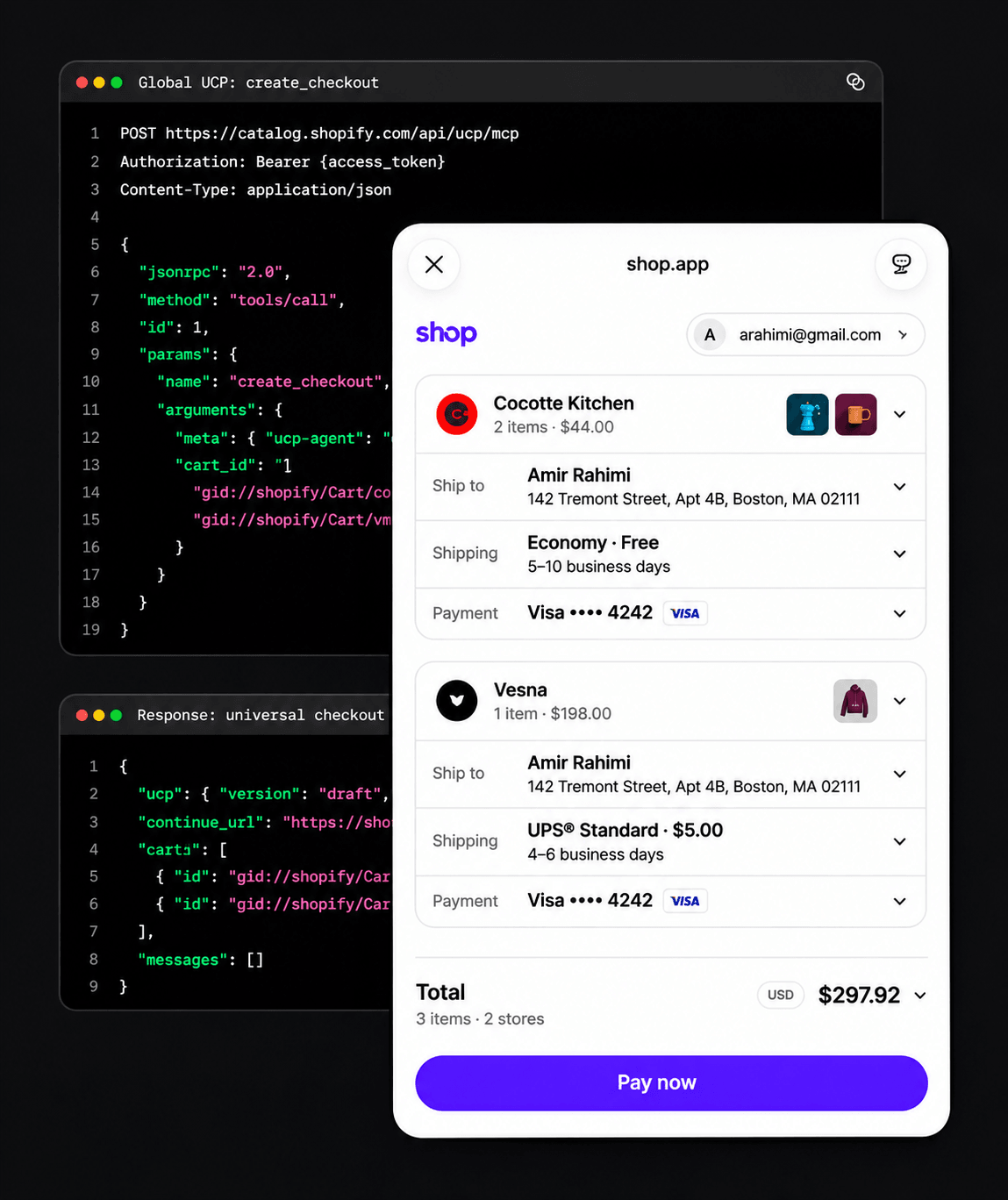
Checkout itself is getting easier to get through. A tighter stacked form reduces scrolling and makes errors easier to spot and fix, and a tiled layout makes payment methods quicker to scan. Shoppers will also soon be able to pay with Apple Pay in Chrome, Edge, Firefox and other browsers by scanning a QR code with their iPhone. Most of these are rolling out over the coming months.
For shoppers who do leave, Shopify Messaging can now send automated WhatsApp messages to recover browse, cart and checkout abandonment, and merchants can collect WhatsApp marketing consent at checkout.
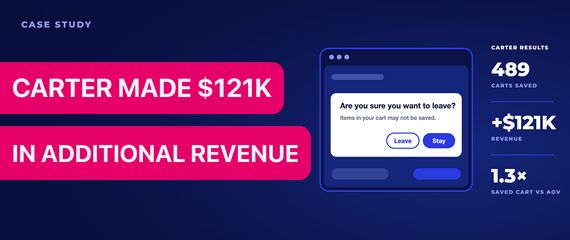
Taken together, these updates help most after a shopper has already stepped away. WhatsApp reminds them about what they left behind, and cart sync makes it easy to pick up where they stopped, even on another device. Not every shopper comes back once they close the tab, though, so the moment just before they leave matters too. That’s the moment Carter, Uxify’s cart-saving agent, is built for: when a shopper tries to close the last tab of the store, it shows a browser prompt that gives them a chance to stay, before the cart is ever abandoned.
How merchants build and change their store
Sidekick tests its own recommendations
Sidekick can now find possible improvements to a store, test them with SimGym, Shopify’s simulation tool, and let the merchant choose which ones to apply. Its growth recommendations now also take into account the apps a store uses and web research on the merchant’s industry and market. Sidekick can also stage several changes for one approval, write code, search the web and remember context between conversations. Shopify says daily Sidekick sessions grew 4.2 times year over year.
For merchants, this means more suggestions arrive already tested, right inside the admin. However, changes that involve multiple steps still deserve a careful review before approval, since they change the live store.
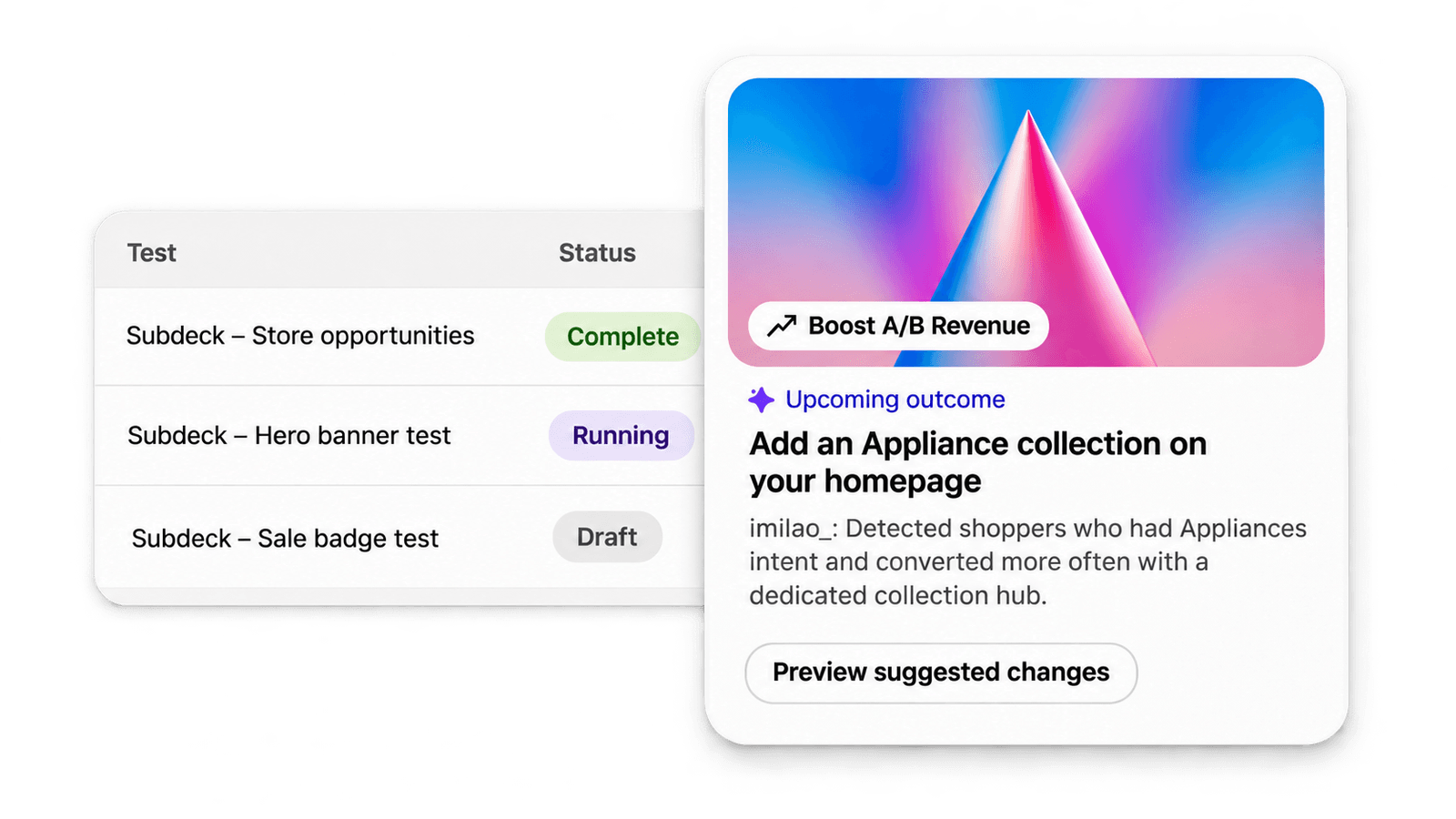
Testing in a simulation is a useful first step. It helps merchants decide which changes are worth publishing, without risking real traffic on an idea that doesn’t work. Once a change goes live, though, the next question is how real shoppers actually respond to it, on their own devices and connections, and whether the result matches what the test suggested. This is where Uxify comes in. Reality, Uxify’s real user monitoring engine, measures how actual shoppers move through the store and how fast pages load for them. Uxify’s AI agents then keep improving each session on top of whatever version of the store is live. Because the agents don’t touch theme code, they run alongside any change made with Sidekick or Canvas.
Canvas, a new theme architecture and lighter CSS
Canvas, announced on October 1, shows the whole store on one screen and lets merchants design it with Sidekick, and Shopify says it gets stores from no theme to launch 20% faster. Underneath it, a new theme architecture in developer preview moves page structure into the Liquid template itself, with markdown files that guide AI agents. Shopify also changed how stylesheets load, so each page gets only the CSS it actually uses, which Shopify says makes pages faster.
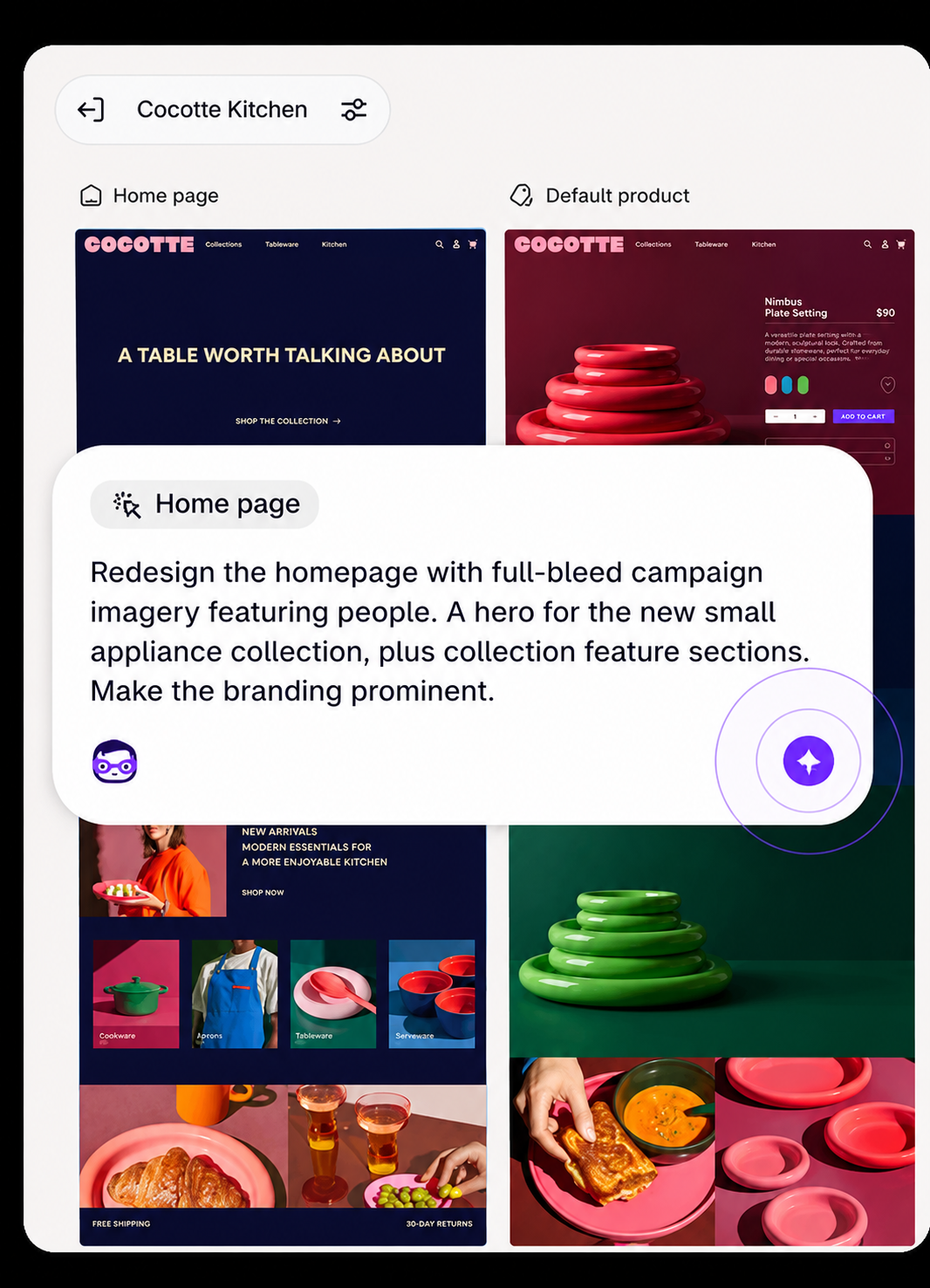
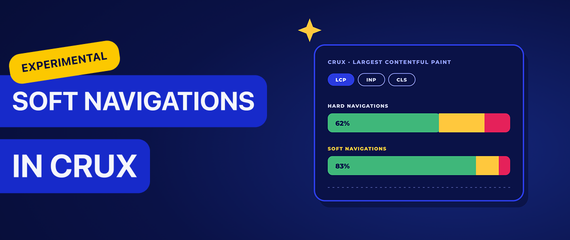
For merchants, this makes it easier to change a store without a developer. Any change can also affect speed, for better or worse. Which is why it’s a good habit to check Core Web Vitals after publishing a bigger design update, ideally with real user data, which shows how pages load for actual visitors rather than in a lab test. In Uxify, for instance, the Vita agent flags this kind of slowdown on the day it happens, and Reality shows the trend over time.
Rollouts covers more of the store
Rollouts, Shopify’s built-in tool for scheduling store changes and running A/B tests, now bundles theme, checkout configuration, catalogs and discounts into one scheduled launch, event or experiment. Rollouts can also reach headless builds, POS, Google Shopping and the Shop app, and catalog price changes can roll back automatically when a promotion ends. This is useful for planned launches like Black Friday, where several parts of the store change at once.
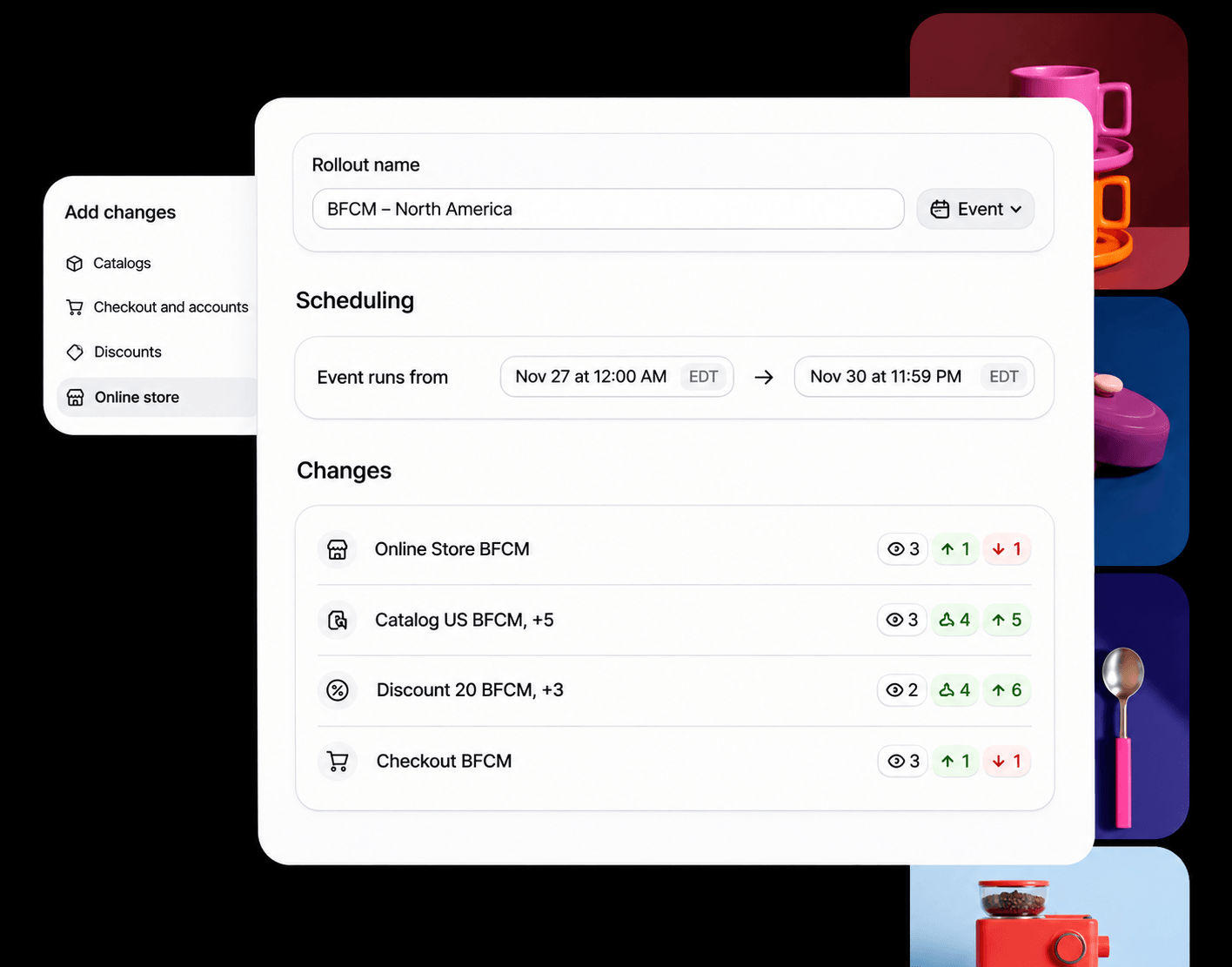
When several changes go live at once, it can be hard to tell afterwards which one actually moved the numbers. That’s where reliable reporting comes in, and Shopify updated that too.
How merchants measure results
Session numbers now reflect human visitors
Shopify Analytics counts sessions with bot filtering, follows user journeys across the whole site and counts visits in a consent-aware way. Session totals may shift as a result.
Shopify also added more ways to explain changes in the numbers. Apps can send their own events into Shopify Analytics, so merchants can review app activity next to store data, and both merchants and apps can add annotations that show what changed and why. A store-wide activity log that shows which staff member or app made each change is coming soon.
Merchants who use more than one analytics tool will often notice that session numbers don’t line up exactly, and this update is a good moment to explain why. Every tool has to decide which visits come from real people and which come from bots, crawlers or automated checks, and each one makes that call in its own way.
That’s why at Uxify we differentiate between real and bot traffic and by default show you the one you care about most - your real users. The bot filter follows its own logic, though, so even now that Shopify filters bots too, the two numbers can differ slightly. A small difference is expected and doesn’t mean either number is wrong. The trend over time is what shows how your traffic is really changing.
Growing and protecting sales
Marketing and reporting updates
Campaign Autopilot is Shopify’s tool for running ad campaigns with AI, and it now reaches more channels, including Microsoft Advertising and Snapchat, with X Ads coming soon. Merchants can also manage SEO from the same place. Shop Campaigns, Shopify’s ad program where merchants pay only when an ad leads to a sale, now lets one campaign run across more than 35 new markets, including the UK, Australia and the EU. There’s also a new ChatGPT Ads app, which lets merchants pay for sponsored placements inside ChatGPT conversations and track the results in the Shopify admin.
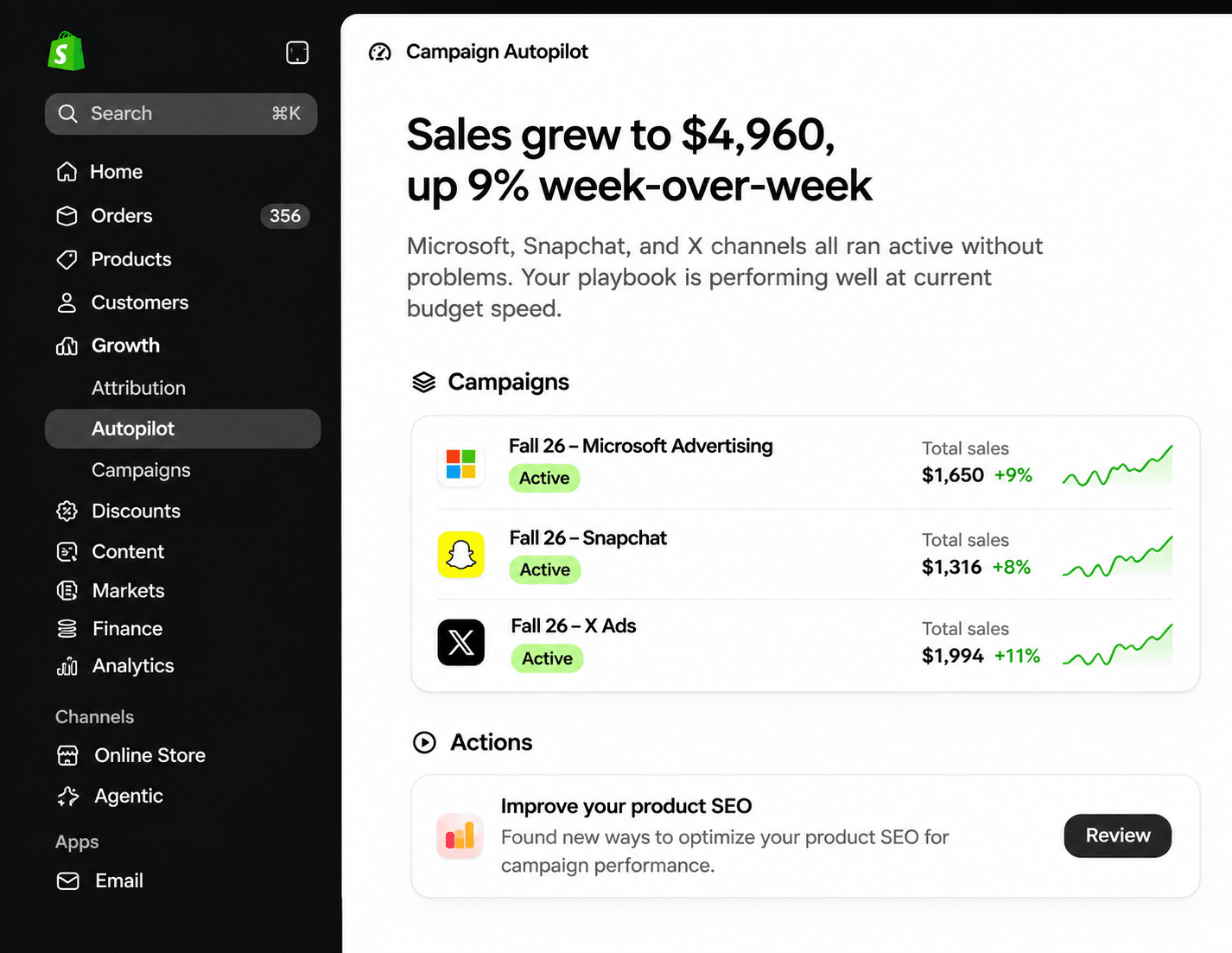
Reporting got clearer too. Marketing reports now split traffic sources more accurately, so merchants can see which channels actually drive sales, with fewer sales credited to the wrong channel. And for Black Friday, Shopify Messaging includes a ready-made email campaign that merchants can preview, adjust, approve and schedule.
Shopify Protect
Shopify Protect is a new app that brings Shopify’s fraud and chargeback tools together in one place. On the prevention side, Shopify now blocks high-risk orders automatically before payment is authorized, and the orders page explains which factors raised an order’s risk level, so merchants can decide with more confidence whether to fulfill it. Merchants can also write their own rules based on the risk signals they care about, test those rules against past orders, and get an alert if a rule stops performing well. Shopify says Shopify Payments blocks more than 12,000 high-risk payments every minute.
On the dispute side, much of the work is now done for the merchant. When a customer files a chargeback, Shopify gathers the evidence the bank needs, attaches the carrier’s proof of delivery when a customer says an order never arrived, and writes an AI response tailored to the customer’s bank and the reason for the dispute. Shopify says this helps merchants win 60% more “product not received” disputes. Coming soon, merchants will also be able to extend chargeback protection to orders not paid with Shop Pay and get reimbursed for fraud chargebacks. Most of Protect’s new features are still rolling out, so it’s worth checking what’s available on your store.
Changes for apps
Shopify is phasing out script tags in favor of theme app extensions and web pixels. Since October 1, 2026, apps can no longer create or update script tags, although existing ones will continue working until March 1, 2027. After that date, Shopify will stop loading them on storefronts, meaning apps that haven’t migrated could lose functionality.
Apps also need to move to expiring access tokens before January 2027 to remain listed on the App Store. App names must now be unique and recognizable, and App Store reviews are checked against store trust, identity, and app activity. On billing, Shopify App Pricing now supports unlimited private plans for custom deals, while annual plans with monthly usage charges are coming soon.
For merchants, the main takeaway is to make sure their apps are prepared for these changes. Uxify already moved to Shopify’s app embed method at the start of October, so it doesn’t rely on the deprecated script tags. Uxify can also now offer merchants custom private plans through its Shopify app, with billing handled directly by Shopify.
What should Shopify merchants do now?
Most of these updates don’t need action before Black Friday, but a few are worth checking this month:
- Review the business facts AI agents share about your store, especially returns and shipping policies.
- Ask your app vendors whether they still use script tags or non-expiring tokens, so nothing breaks in early 2027.
- With the recent bot filtering, your session numbers have likely shifted, so keep that in mind when comparing periods.
- Before applying a Sidekick or Canvas change to your live store, review it, then check your Core Web Vitals afterwards or review your real user analytics with third-party solutions like Uxify.
- Confirm which features are live on your plan. Several are in early access or marked “coming soon.”
Final thoughts: More automation, better shopping experiences
If there’s one thing Shopify’s Fall ‘26 Edition makes clear, it’s that AI is becoming part of nearly every stage of ecommerce. From how shoppers discover products and complete purchases to how merchants build, test and manage their stores, more of the work can now happen automatically.
But making it easier to launch changes doesn’t necessarily mean those changes will deliver better results. A faster storefront, a smarter shopping assistant or an AI-generated recommendation is only as valuable as the experience it creates for real customers.
That’s where the next opportunity lies. Shopify is giving merchants more tools to build and improve their stores, while solutions like Uxify help them understand how those stores actually perform and address the friction that gets in the way of conversions.
Ultimately, the goal isn’t simply to automate more. It’s to make every shopping experience better, and every visitor - more valuable.
Frequently asked questions
When was Shopify Editions Fall ‘26 released?
Shopify released the Fall ‘26 Edition, named “Exponential,” on October 28, 2026. It includes more than 150 updates across agentic commerce, Sidekick, store design, checkout, marketing and app development. Some features, like Canvas, are in early access, and others are marked as coming soon.
Does the script tag change affect Uxify?
No. Uxify moved to Shopify’s app embed method at the start of October 2026, so it doesn’t rely on script tags. For other apps on your store, check with those vendors directly.
How does Uxify work alongside Sidekick?
Sidekick helps merchants find and test improvements, using SimGym before a change goes live. Uxify measures real sessions on the live store with Reality and runs AI agents on top of the store without touching theme code. We plan to bring Uxify’s findings into Sidekick once Shopify makes this available to apps.
Why is it called “Exponential”?
Shopify’s tagline for the release is “Everything new for non-linear growth,” and the argument is that each merchant who joins makes the platform more useful for everyone else, so value multiplies instead of adding up one store at a time.
You can see this in the headline features. Fraud signals are shared across stores, Sidekick’s advice draws on what works for other merchants, and the catalog that AI agents search is the combined catalog of every Shopify store. Shopify backs it with big numbers: over 1 billion products discoverable across AI channels and over 400 million shoppers with Shop Pay accounts.
The network is a real advantage for general guidance because it gives you direct insight into what tends to work across Shopify. What it can’t tell you is how your own shoppers behave on your own store, which is where solutions like Uxify come in.