Make Uxify one of your go-to sources on Google
 Add Uxify on Google
In 2026, speed isn’t just a “nice-to-have”—it’s a non-negotiable. Users expect instant experiences, and search engines, like Google, are paying attention. A slow-loading site frustrates visitors, increases bounce rates, and drags down your SEO performance. That’s where Core Web Vitals come in. This article details some of our favorite WordPress plugins for speeding up your site and improving its user experience.
Why does speed matter more than ever?
Core Web Vitals (CWV) are a set of performance metrics used by Google to evaluate user experience on your site. These include:
- Largest Contentful Paint ( LCP ) – measures loading performance
- Interaction to Next Paint ( INP ) – measures responsiveness
- Cumulative Layout Shift ( CLS ) – measures visual stability
Sites that nail their Core Web Vitals don’t just rank higher on Google—they also keep users engaged, reduce bounce rates, and drive more conversions. Faster pages create smoother experiences, which means more satisfied visitors and increased revenue. The best part? If you’re using WordPress, you don’t need to start from scratch. There’s a wide range of performance plugins designed to supercharge your site speed with just a few clicks.
Can WordPress plugins speed up your site?
Absolutely—when you pick the right ones. The magic of performance-focused plugins lies in their ability to optimize every aspect of your website. They can:
| Optimization Technique | Description |
|---|---|
| Minify and compress assets | Reduces file sizes, speeding up load times by removing unnecessary characters. |
| Compress Images | Compresses images without losing quality, ensuring faster page loads. |
| Enable Caching | Serves static pages to reduce server load and speed up repeat visits. |
| Lazy-load Media | Loads images, videos, and iframes only when visible, improving initial load time. |
| Optimize Database Queries | Speeds up backend by eliminating slow database requests. |
| Integrate with CDNs | Delivers content faster by serving it from a closer server. |
| Font Optimization | Reduces render-blocking resources for faster font loading. |
| Advanced Optimization Techniques | Uses critical CSS, preloads resources, and reduces JavaScript delays to boost performance. |
But here’s the thing: not all plugins are created equal. Some are focused just on caching, while others provide all-in-one optimization with extra features. Let’s dive into the best plugins for 2025 that’ll help you optimize your site from every angle.
Top 5 WordPress speed plugins for 2025
1️⃣FlyingPress
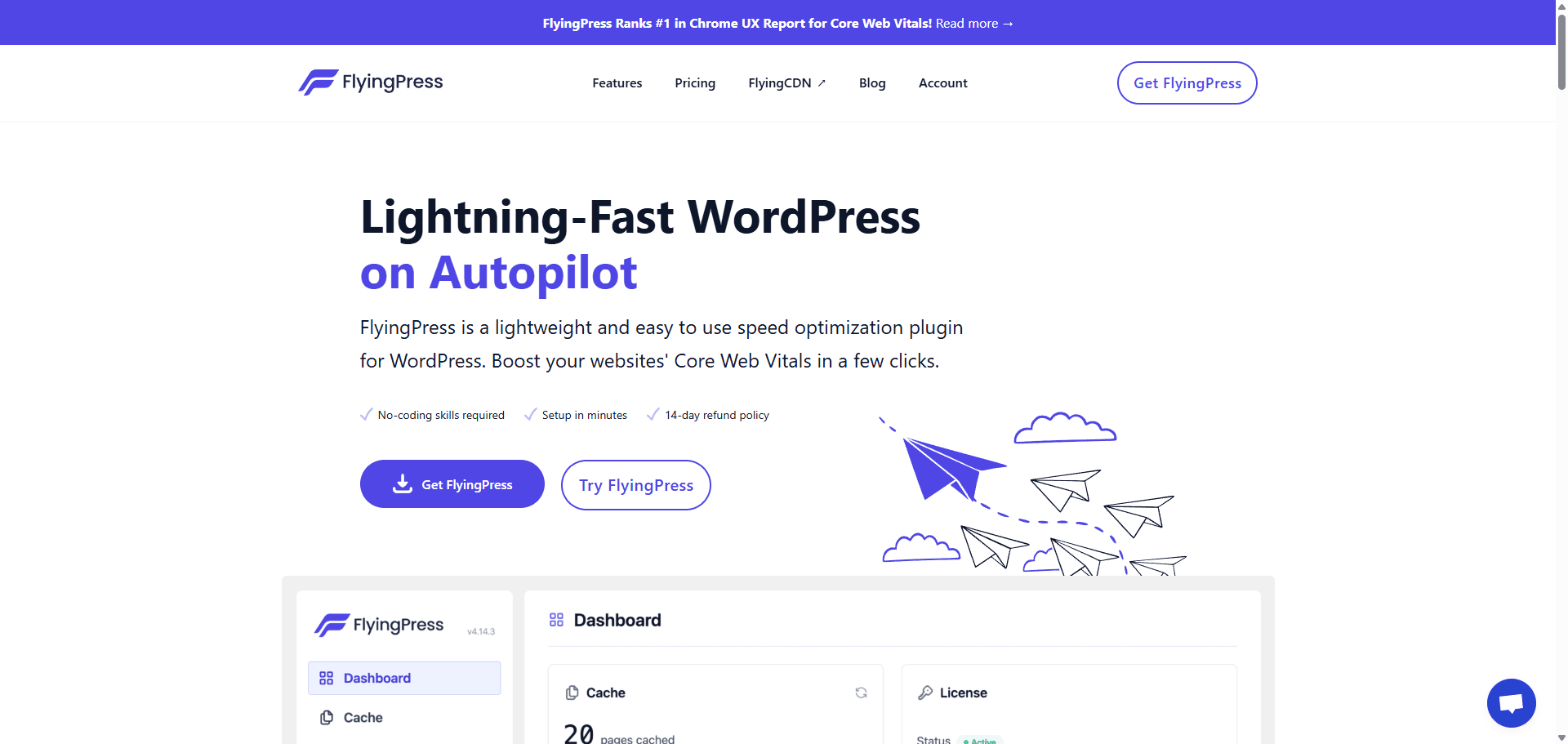
Description: A lightweight yet powerful plugin built for modern WordPress speed. It includes caching, lazy loading, font optimization, and more—all packaged with a user-friendly interface.
Price: Starts at $60/year
Free Trial: No
Trustpilot: 4.7⭐(Reviews 250+)
2️⃣NitroPack
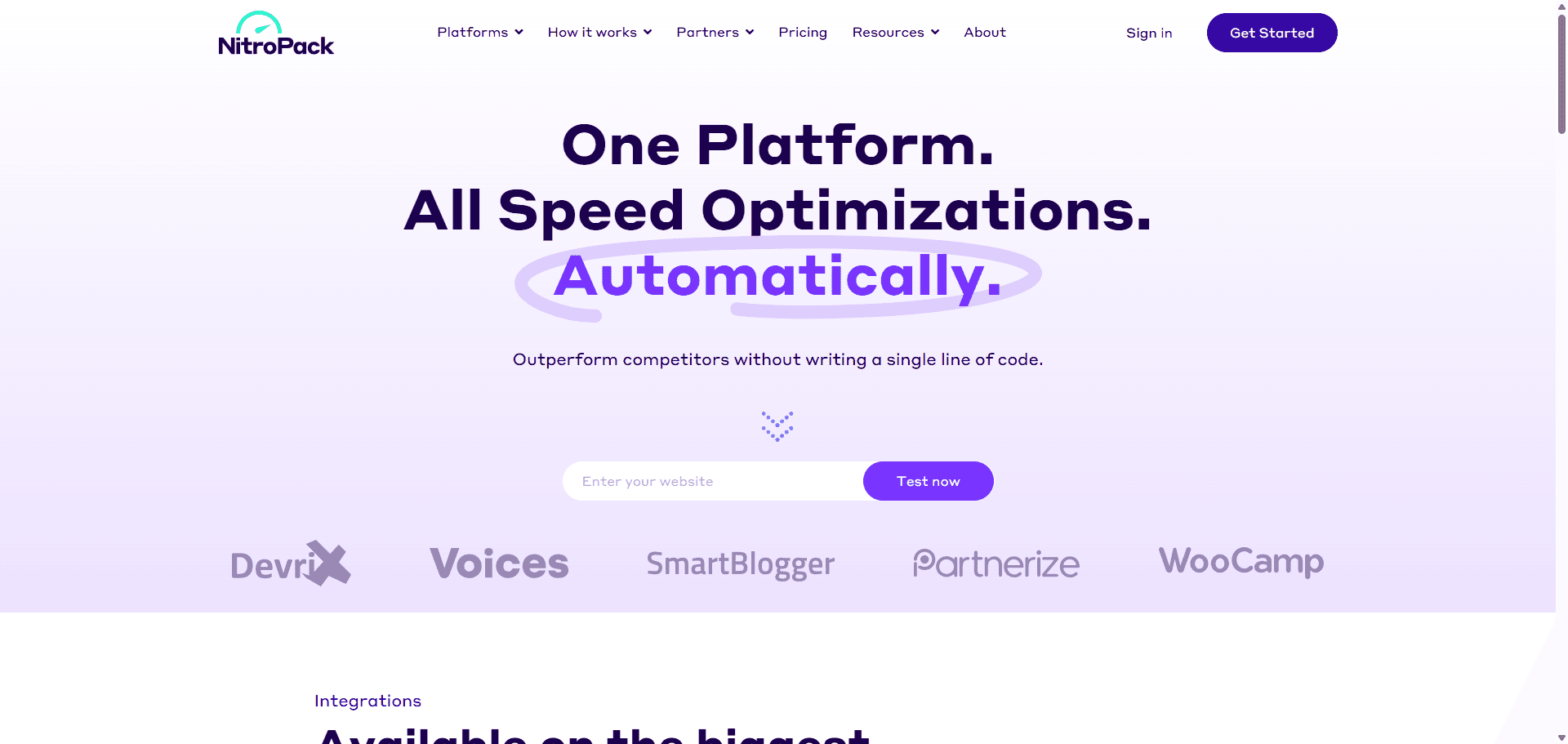
Description: A cloud-based performance booster that handles caching, CDN, image compression, lazy loading, and more—automatically. Especially useful for users who want a “set it and forget it” solution.
Price: Free plan available; Paid plans from $17.50/month
Free Trial: Free plan acts as a trial
Trustpilot: 4.9⭐(Reviews 1,100+)
3️⃣WP Rocket
Description: A premium, all-in-one performance plugin that handles caching, file optimization, lazy loading, database cleanup, and CDN integration—all without complicated setup.
Price: Paid only – Starts at $59/year
Free Trial: No
Trustpilot: 4.7⭐(Reviews 2,500+)
4️⃣LiteSpeed Cache
Description: A powerful, free caching plugin made for sites running on LiteSpeed servers. It includes image optimization, database cleanup, and even a QUIC.cloud CDN integration.
Price: Free
Free Trial: N/A – It’s 100% free
WordPress store: 4.8⭐(Reviews 2,600+)
5️⃣ W3 Total Cache
Description: One of the oldest and most configurable performance plugins. Offers page and browser caching, object and database caching, minification, and CDN support.
Price: Free or Pro version at $99/year
Free Trial: No, but the free version offers robust features
WordPress store: 4.8⭐(Reviews 5,400+)
📊 Performance comparison: HTTP Archive Results
To give you a clearer picture of how these plugins perform in real-world conditions, let’s take a look at the results from the HTTP Archive, which tracks data on millions of websites. Here’s how each plugin stacks up in terms of speed improvement:
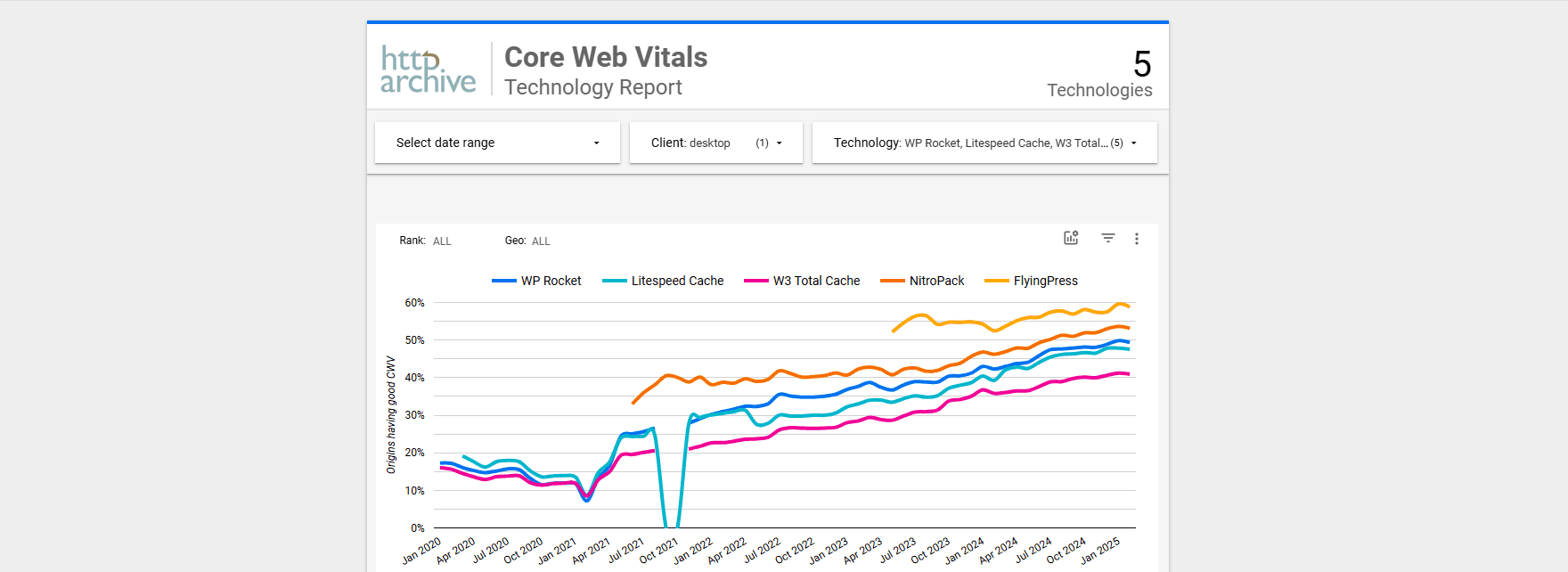
Source: httparchive.org
⚡Bonus: Beyond plugins, an AI agent for navigation speed
The plugins above are excellent at solving known performance problems: compressing files, caching pages, deferring scripts. But they share one limitation. They apply the same rules to every visitor, and they only act on the page that’s already been requested.
That’s the gap WordPress optimization with AI is starting to close, and it’s why the last entry here isn’t another plugin. It’s an agent.
Meet Navigation AI by Uxify.
Navigation AI owns one job: navigation speed. It runs on Reality, our real-user data layer, and watches how real visitors move through your site. From viewport position, scroll, device and live session signals, it predicts the next click (it’s right 72% of the time) and prerenders that page with the Speculation Rules API. When the visitor clicks, the page is already painted. Navigations get 55% faster.
What sets it apart from speculative loading approaches that rely on fixed, manually configured rules is that nobody has to write or maintain the rules. The agent keeps learning from your visitors, so the pages it prerenders are the ones people actually open next, not the ones you guessed at during setup. Every week or month, it reports back on what it did and what it earned.
It runs alongside whichever speed plugin you already use. Your plugin keeps handling delivery. Navigation AI takes the one delay plugins can’t touch: the gap between a visitor’s click and the next page appearing.
If your bottleneck is slow taps rather than slow pages, that’s a separate job. INProve is the Uxify agent for interaction speed (INP). It spots heavy JavaScript blocking the main thread and yields or reschedules it so the visitor’s click goes first, which a plugin’s script-delay setting can’t do on its own.

Final Thoughts
Speed is a competitive advantage. Whether you’re blogging, running an ecommerce store, or offering services, your WordPress site’s speed directly affects your bottom line.
Pick the right plugin, test your site regularly, and let an agent like Navigation AI handle the part plugins can’t reach: the next click.