Key takeaways:
- INP measures how fast your page responds to a click, tap or keystroke. Under 200 ms feels instant, above 500 ms feels broken.
- Slow interactions land at the moment of highest intent: add to cart, filters, form fields, checkout steps.
- Fixing INP by hand means auditing JavaScript again every time a tag, widget or personalization script ships.
- INProve reschedules heavy work in the browser so the visitor's interaction goes first. One Uxify snippet, no code changes, no changes to your design.
- QuintoAndar cut INP by 80% by hand and lifted funnel conversions 36%. INProve applies the same techniques automatically.
Make Uxify one of your go-to sources on Google
 Add Uxify on Google
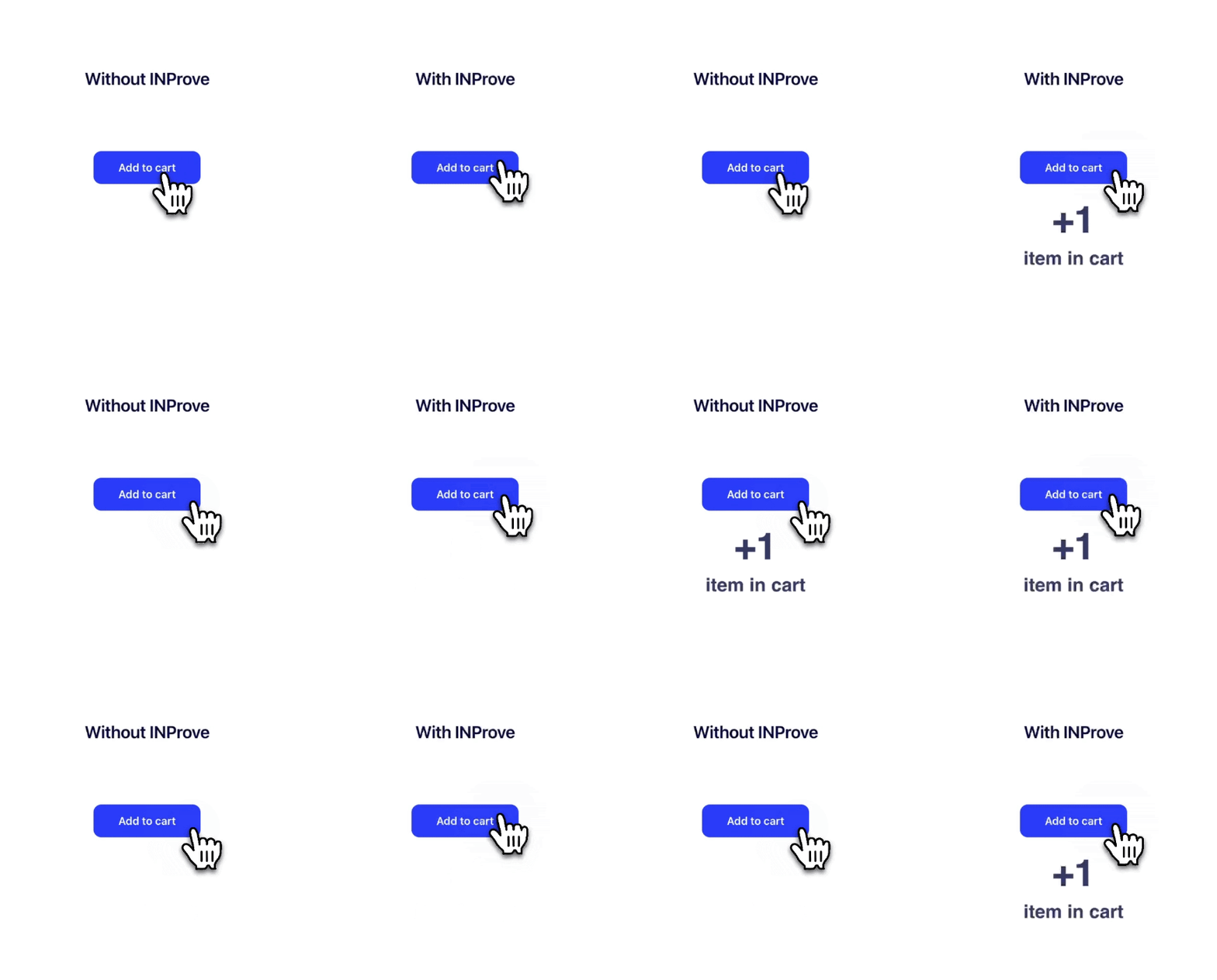
Your visitor taps “Add to cart.” Nothing happens.
They tap again. Still nothing. Then, half a second later, the page finally catches up and two items land in the cart instead of one.
That tiny moment is one of the most expensive things happening on your website right now, and almost nobody is watching it. Your load time looks fine. Your analytics dashboard looks fine. Meanwhile the person who was ready to buy has decided your site is broken, and they were not entirely wrong.
INProve exists for exactly that moment. It is the Uxify agent that watches how quickly your site responds to real people and clears the way so every click, tap, and keystroke lands the first time.
The metric behind the stuck click
Google has a name for that delay: Interaction to Next Paint, or INP. It is one of the three Core Web Vitals, and it answers a very human question. When somebody does something on your page, how long until they see the page react?
Under 200 milliseconds feels instant. Between 200 and 500 milliseconds feels sluggish. Above 500 milliseconds, people start to assume something is wrong.
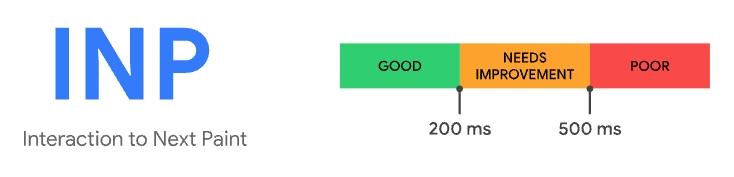
Source: web.dev
Everything else you measure happens before the visitor commits. INP happens at the exact second they do commit: the add to cart, the filter, the form field, the checkout step, the “book a demo” button. It is the moment of highest intent on your entire site, and it is the moment most performance tools quietly ignore.
Which is why slow interactions show up in your behavioral data long before anyone connects them to a metric. Rage clicks climb. Cart abandonment signals start firing on your best pages. Your bounce rate goes up and nobody can explain it, because the page did load. It just refused to answer.
Why this normally never gets fixed
Ask any team why their INP is still poor and you will hear a version of the same answer. It is on the roadmap.
And the answer why it’s not in your next sprint is often because the cost of fixing INP is greater than the cost of INP itself. Fixing INP by hand means auditing the JavaScript on your site, finding the heavy work that jams up the browser between a click and a visual response, breaking that work into smaller pieces, and doing it again every time marketing adds a tag, a chat widget, a review app, or a personalization script. On a real commercial site, that is a quarter of engineering time to move one metric that your CFO has never heard of.
So the work gets deferred. And every week it is deferred, the site keeps losing the people who were closest to converting.
This is the gap that made us build Uxify differently. Performance and CRO tools have always worked the same way: they watch your site, draw you a chart, and hand the real work back to you. AI was supposed to change that, and mostly it did not. Tools added a chat layer, so now the dashboard answers questions in plain language, but the output is still a recommendation. Which becomes a ticket, then a sprint, then next quarter. For a big team that is frustrating. For a small one it usually means the work never happens at all.
So we took the other route and made Uxify agentic. Rather than one tool that explains everything, each agent owns a single job and actually does it: Navigation AI owns navigation speed, Carter owns saving carts, INProve owns interaction speed. They watch what is happening, act where they can, and report what changed. Nobody has to be free that month for your site to get faster.
What INProve actually does
INProve does one thing: it keeps your website’s attention free for the person using it.
Browsers can really only do one thing at a time. When a heavy script is running, the browser is busy, and your visitor’s click has to wait in line behind it. INProve watches for those pile-ups as they happen and reschedules the heavy work so the visitor’s interaction goes first. The script still runs. It just stops standing in front of your customer.
Four things happen, continuously, on every page:
- It detects blocking. INProve spots the moments when heavy scripts are stalling the browser and stopping people from interacting.
- It reschedules the work. Heavy tasks get yielded and moved so the browser can answer clicks and taps immediately.
- It unblocks the interaction. Buttons respond, inputs accept text, filters fire. No stuck states, no double taps.
- It measures the result. Real user INP is tracked over time, so you watch the metric move from poor to good and see the SEO signal strengthen with it.
INProve runs on Reality, Uxify’s real-user data layer, so it acts on how your own visitors interact, not on averages. And it reports back: every week or month you get a summary of what it did and what it earned.
Everything happens in the browser, live, for the person on your site right now, so your codebase, theme, and design stay exactly as your team built them. All the upside of an optimization sprint, none of the sprint.
INProve switches on from the one Uxify snippet, with no code changes, and our setup guide covers it in a couple of screens. From there it looks after itself. Nothing to configure, no rules to write, no maintenance, and it works across your entire site including that first interaction on a page, which is usually the worst one.
Faster interactions, measured in outcomes
The clearest proof of what responsiveness is worth comes from QuintoAndar, Brazil’s largest proptech platform. Their team rebuilt their interaction layer by hand: yielding heavy scripts, deferring third parties, smoothing input handling. INP dropped by 80%, and conversions across the funnel rose by 36%.
That is the same set of techniques INProve now applies automatically, on any site, without the engineering project attached to it.
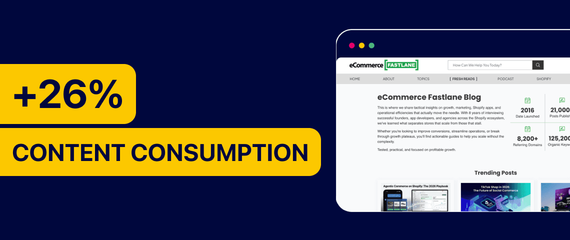
You can see the effect on publisher sites, too. eCommerce Fastlane increased content consumption by 26% without changing a single article, using Navigation AI and INProve to take the friction out of the reading experience.
Different industries, same underlying story. Responsiveness is not a hygiene metric. It compounds into revenue, and it does it in the part of the funnel you have already paid for.
Where INProve fits in the Uxify stack
INProve is deliberately narrow. It fixes responsiveness, and it fixes it well. The value multiplies when it runs alongside the rest of the platform:
- Reality is your real user monitoring layer. It shows what every visitor actually experienced, by page, device, and country, and ties those signals to engagement and sales rather than leaving you with a chart wondering if you need to look at your RUM or Lighthouse score
- Navigation AI handles the other half of speed. It predicts where a visitor is heading and prerenders that page in advance, so navigation feels instant. Strand, the Australian bag and luggage retailer, saw pageviews per mobile session jump 80%, add to carts rise 14%, and form abandonment fall by nearly half, all without touching the storefront design. Read the Strand case study.
- Carter steps in at checkout to save carts that would otherwise be lost, which pairs naturally with reducing cart abandonment as a wider strategy.
- Uxi is the AI assistant grounded in your own data, for when you want a straight answer to “why is INP failing on mobile” instead of a dashboard to interpret.
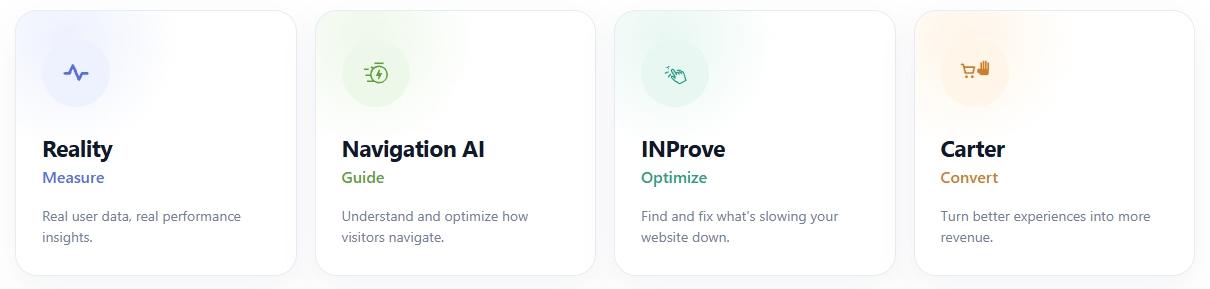
Together they cover the full performance, engagement, and conversion picture, whether you run an ecommerce store, a SaaS product, a publishing business, or an agency doing it for clients.
Who should turn this on first
INProve pays for itself fastest on sites where people interact a lot before they convert:
- Stores with filters, variants, and quick views. Every filter tap is an INP event, and shoppers use a lot of them before checkout.
- Anything with a form. Sluggish inputs are one of the common killers of form submissions, because people abandon without ever telling you why.
- Mobile-heavy traffic. Phones have less processing power to spare, so the same script hurts them far more than it hurts your desktop.
- Script-heavy marketing sites. If your site carries tags, chat, reviews, and personalization, your main thread is crowded whether or not anyone has looked at it lately.
- Sites that pass on paper but feel slow. This is the perceived load speed gap, and INP is usually where it hides.
Start with the data, then flip the switch
Here is the honest way to approach this. Do not take our number for it, take yours.
INP monitoring is free in Uxify, so you can see your real numbers before you commit to anything. Look at your interaction data on the pages that make you money, check where rage clicks cluster, then enable INProve and watch what moves.
Setup takes about five minutes: one Uxify snippet, no code changes, no configuration, and no engineering sprint attached to it.
Start for free, review the plans, or book a demo and we will walk through your own interaction data with you.
Frequently asked questions
What is Interaction to Next Paint (INP)?
INP measures how long your page takes to visually respond after somebody interacts with it, such as a click, tap, or key press. It is based on real user data, which makes it one of the truest reflections of how responsive your site feels.
What counts as a good INP score?
Under 200 milliseconds is good. Between 200 and 500 milliseconds means there is room to improve. Above 500 milliseconds is poor, and visitors will notice the delay.
Why does my INP change from one visitor to another?
Because INP reflects real conditions. Device power, network quality, and whatever else is competing for the browser’s attention all affect it. Someone on an older phone can have a poor experience on a site that looks healthy in aggregate, which is why real user monitoring matters more than a single lab score.
Do I need a developer to use INProve?
No. You add the one Uxify snippet once, in about five minutes, and make no code changes. On Cloudflare Pro or above you can skip even that. Full installation guide.
Will INProve break my existing scripts?
No. It does not remove or rewrite your scripts. It changes when heavy work runs so your visitor’s interaction is handled first.
Does improving INP help SEO?
Yes. INP is one of the Core Web Vitals Google uses as a ranking signal, so a better INP strengthens your overall page experience profile alongside the direct benefit to conversion.